Air Ruffle
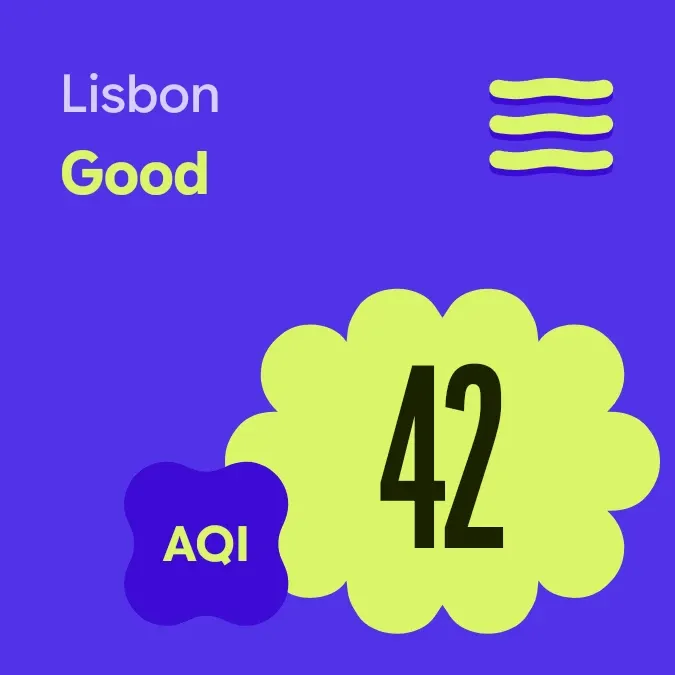
Air Ruffle shows your city's air quality index as a large dark number inside a lime puff on a purple background. The city name and the rating, such as Good, sit at the top left, with a small AQI label beside the puff. Three wavy lines at the top right show the rating at a glance.
- Size
- 2x2 cells
- Kit
- Material Expressive
- Shows
- Weather
- Look
- Bold shapes, typographic and colourful
- Colours
- Blue and lime, dark background
- Looks like
- Pixel widgets
- Good for
- Daily air checks, planning outdoor time and commuting
- Android
- 10 or newer
- Needs
- No additional permissions
- Price
- Pro
Kiwi is in beta and is not on Google Play yet. Join to request an invitation.
- air-quality
- aqi
- big-numbers
- bold
- bright
- city
- colourful
- condensed
- flower
- lime
- material-expressive
- playful
- purple
- rounded
- shapes
- typographic
- wavy
What changes
- The three lines are gentle when the rating is Good and grow wavier through Moderate, Sensitive, Unhealthy and Very unhealthy, and are waviest at Hazardous.
- The number and the rating word change with the latest air reading for your city. Tapping the widget refreshes the weather data.
- With no city set, the puff reads Set a city in Kiwi, the city name and rating are hidden, and the lines stay gentle. Tapping it takes you to Kiwi.
- If the air reading isn't available yet, the rating line reads Air not read yet and the puff reads Tap to check again. The lines stay gentle until a reading arrives.
Data and settings
- Reads weather data for your city: the city name, the air quality index and its rating.
- The city is the one thing you choose. It is set in Kiwi, and the widget asks for it if none is set.
Set it up
- Open the widget in Kiwi, either from its kit or from this page.
- Tap Use.
- Confirm your launcher's prompt to place it on your home screen.
- If the widget shows Set a city in Kiwi, set your city in Kiwi. The AQI and rating appear once a city is chosen.
Good to know
- It needs an internet connection to get the air reading, so it can show Air not read yet when no reading comes through.
- It shows one city at a time, and nothing appears until a city is set.
- The number and rating are only as current as the last refresh, so tap to update them.
Widgets like Air Ruffle
 Lime LungsPlayful



