Rain Outlook
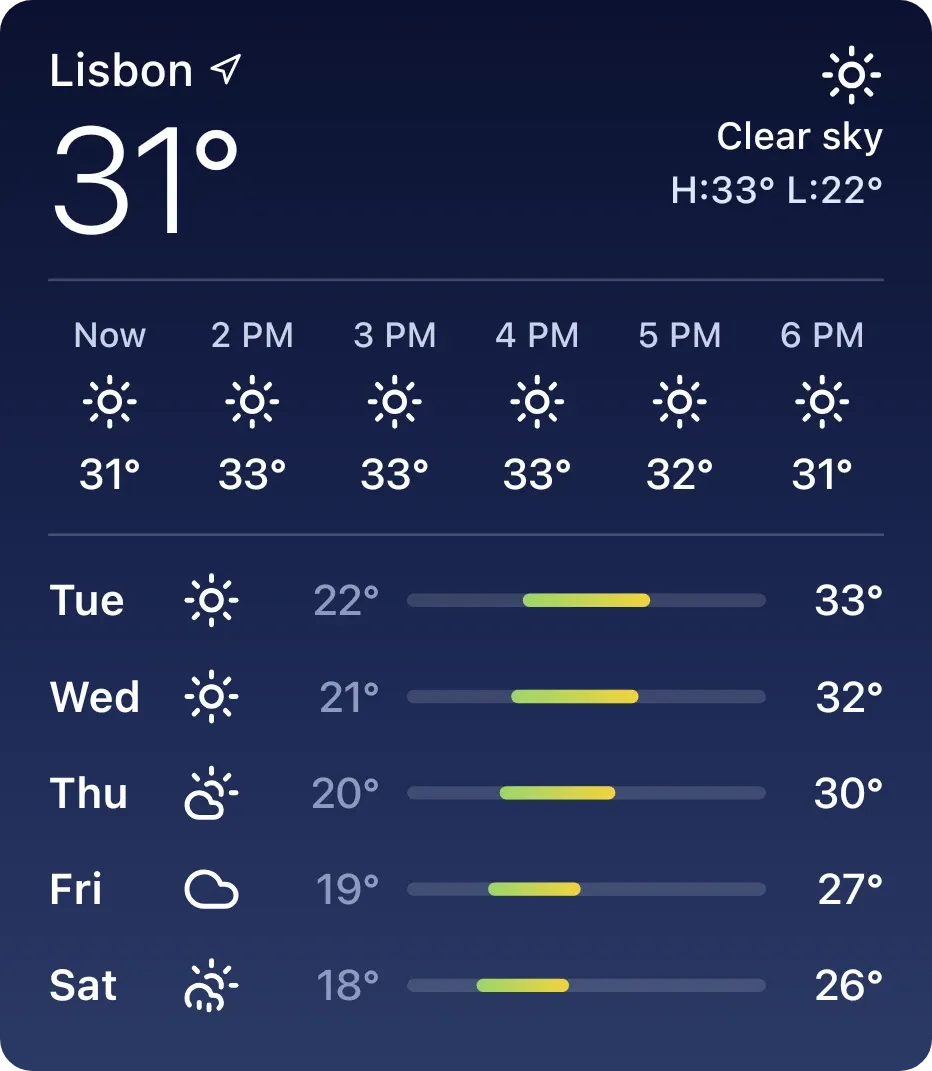
Rain Outlook shows the current weather for a city: the temperature in large numbers, the condition with an icon, and the day's high and low. Below that, a row of small blue bars charts the hourly chance of rain across the next 24 hours, with a line giving the chance right now. A strip of the next six hours shows each hour's icon and temperature. It sits on a slate blue-grey background with white text.
- Size
- 4x4 cells
- Kit
- iOS & macOS
- Shows
- Weather
- Look
- Gradient and minimal
- Colours
- Blue and grey, light background
- Looks like
- iPhone widgets
- Good for
- Commute and planning
- Android
- 10 or newer
- Needs
- No additional permissions
- Price
- Free
Kiwi is in beta and is not on Google Play yet. Join to request an invitation.
- ios
- rain
- weather
What changes
- The city name appears at the top left with a small location arrow, and the current temperature sits beneath it.
- The top right shows a weather icon for the current condition, a short description such as Clear sky, and the day's high and low.
- Each bar in the chart is one hour, from Now to 24 hours ahead. Taller bars mean a higher chance of rain, and very low chances show as short dots.
- A line under the chart states the chance of rain now as a percentage, for example 0% chance of rain now.
- The bottom strip lists the current hour and the next five, each with its own weather icon and temperature.
- When no weather is ready, the chart and hourly strip are replaced by a centred message, which prompts you to set a city in Kiwi.
Data and settings
- Reads weather data for your chosen city: current temperature, condition, daily high and low, and hourly rain chance, temperature and icon.
- The city is the one thing you set. Until a city is chosen, the widget shows a message asking for one.
Set it up
- Open the Rain Outlook widget in Kiwi, either from its kit or from this page.
- Tap Use.
- Confirm your launcher's prompt to place the widget on your home screen.
- Set a city in Kiwi so the widget has a location to show weather for.
Good to know
- It needs an internet connection to get current weather and the hourly forecast.
- It shows nothing but a prompt to set a city until a city has been chosen.
- The rain chart covers 24 hours and shows chance of rain as bars, with no amounts of rain.
- The hourly strip shows only the current hour and the next five.