Morse Memo
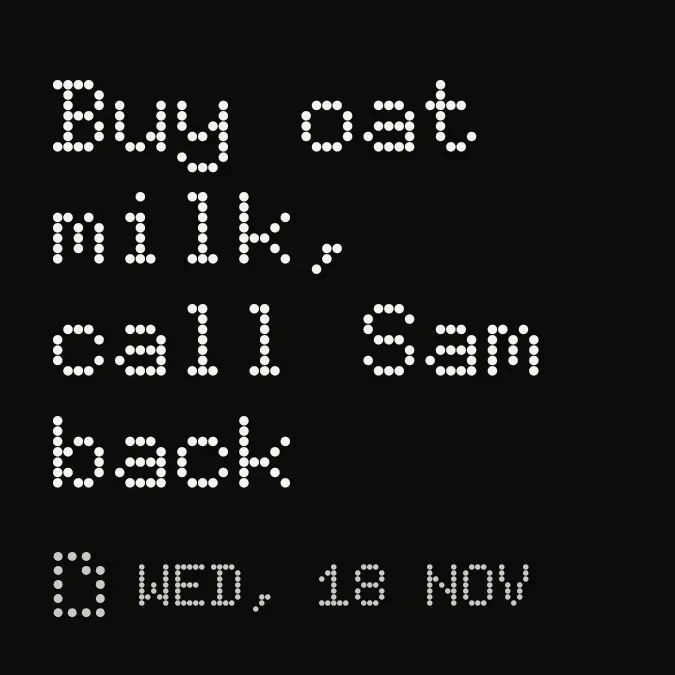
Morse Memo shows a short note in large white dot-matrix letters on a black background. Below the note, a small dotted glyph sits beside the current weekday, day and month in dimmer grey capitals, such as WED, 18 NOV.
- Size
- 2x2 cells
- Kit
- Nothing
- Shows
- Notes and to-dos
- Look
- Dot matrix, typographic and monochrome
- Colours
- Black, dark background
- Looks like
- Nothing widgets
- Good for
- Daily reminders, shopping and errands
- Android
- 10 or newer
- Needs
- No additional permissions
- Price
- Free
Kiwi is in beta and is not on Google Play yet. Join to request an invitation.
- big-letters
- black
- black-and-white
- dark
- date
- date-display
- day-of-week
- dot-matrix
- dots
- editable-note
- minimal
- monochrome
- notes
- nothing
- reminders
- retro
- shopping-list
- text
- typographic
- white
What changes
- The note text sits at the top, and the date line stays at the bottom.
- Short notes appear in larger letters. The text gets smaller as the note gets longer.
- Notes past a certain length switch to a smaller, tighter text size that fits more lines.
- If a note is too long to fit, the text is cut off with an ellipsis.
- With no note saved, it shows the line Tap to write a note.
- Tapping the widget opens the note for editing.
Data and settings
- Reads your note and shows its text on the widget.
- You can edit the note by tapping the widget.
- The date line reads the current date and shows the weekday, day and month.
Set it up
- Open Morse Memo in Kiwi, either from its kit or from this page.
- Tap Use.
- Confirm your launcher's prompt to place it on your home screen.
Good to know
- Only a limited number of lines of the note show, so a long note is cut off with an ellipsis.
- The widget shows a single note, so only that note's text appears.



