Peppercorn
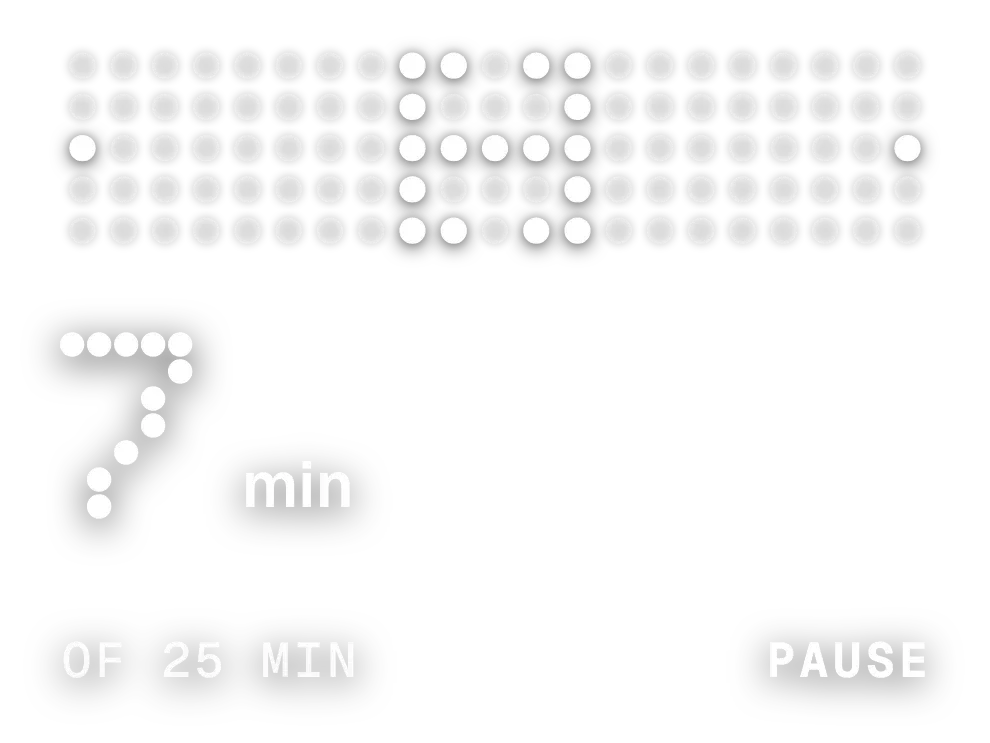
Peppercorn shows the current time as large dot-matrix digits, with a red colon between the hours and minutes. The day, date and month sit in bold text at the top left, and the widget has no background of its own. The dots can be white or black, and round or square.
- Size
- 4x2 cells
- Kit
- Nothing
- Shows
- Time and date
- Look
- Dot matrix, minimal and typographic
- Colours
- White, light background
- Looks like
- Nothing widgets
- Good for
- Checking time, daily routine and desk work
- Android
- 10 or newer
- Needs
- No additional permissions
- Price
- Free
Kiwi is in beta and is not on Google Play yet. Join to request an invitation.
- big-numbers
- black
- bold
- clean
- date
- day-of-week
- digital-clock
- digits
- dot-matrix
- dots
- grey
- light
- minimal
- nothing
- red
- retro
- rounded
- time
- typographic
What changes
- The hour and minute digits redraw in dots as the time changes, and the two red colon dots stay in place between them.
- The date at the top left reads as weekday, day and month, for example Wed 18 Nov, and follows the current day.
- When the hour is below 10, the first hour digit is left out, so 9:05 shows only one hour digit.
- Tapping the time opens the clock. Tapping the date opens the calendar.
- AM or PM appears in small text beside the minutes only when the phone uses a 12-hour clock.
Data and settings
- Reads the phone's current time and date.
- Colours: choose White or Black dots and text. The colon stays red with either choice.
- Dots: choose Round or Square dots.
Set it up
- Open the widget in Kiwi, from its kit or from this page.
- Tap Use.
- Confirm your launcher's prompt to place it.
Good to know
- Because the widget has no background, white dots are easiest to read on a dark wallpaper and black dots on a light one.
Widgets like Peppercorn
 Pip CircuitWatch Face
 Stencil TempoWatch Face
 RimrunnerWatch Face