Postbox Pal
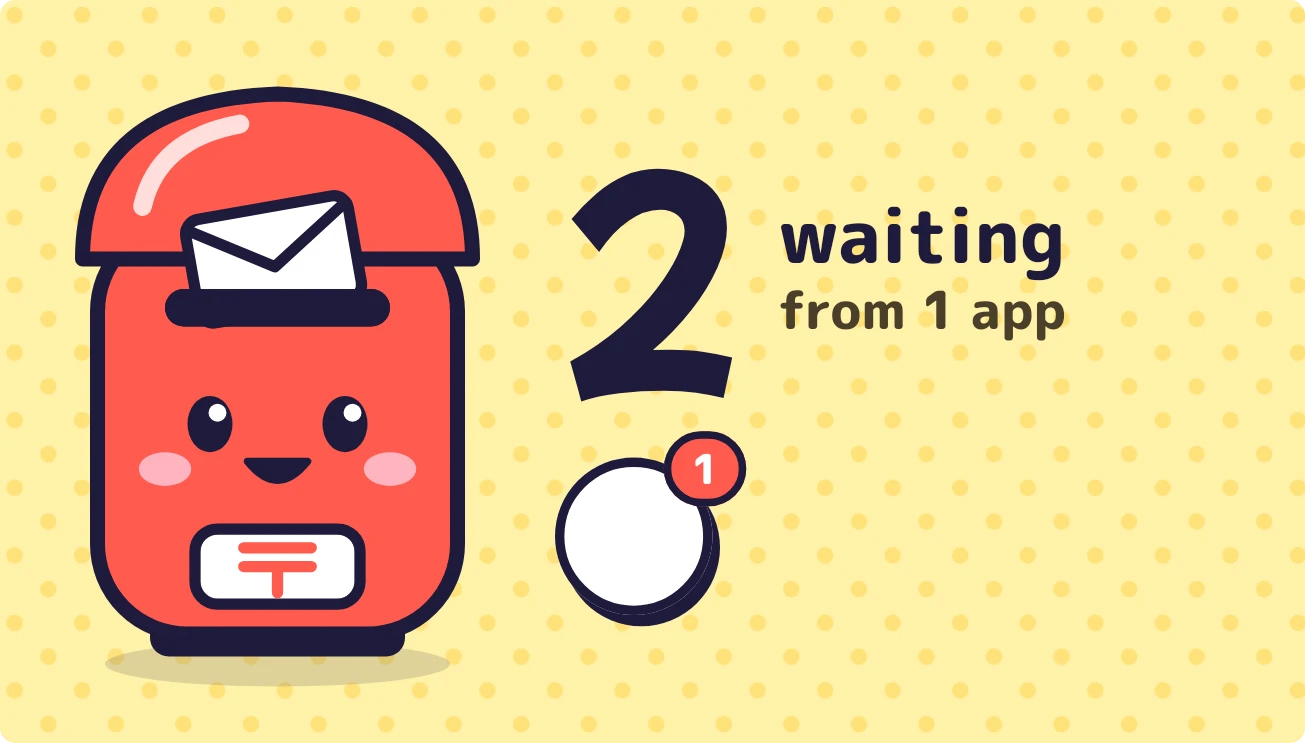
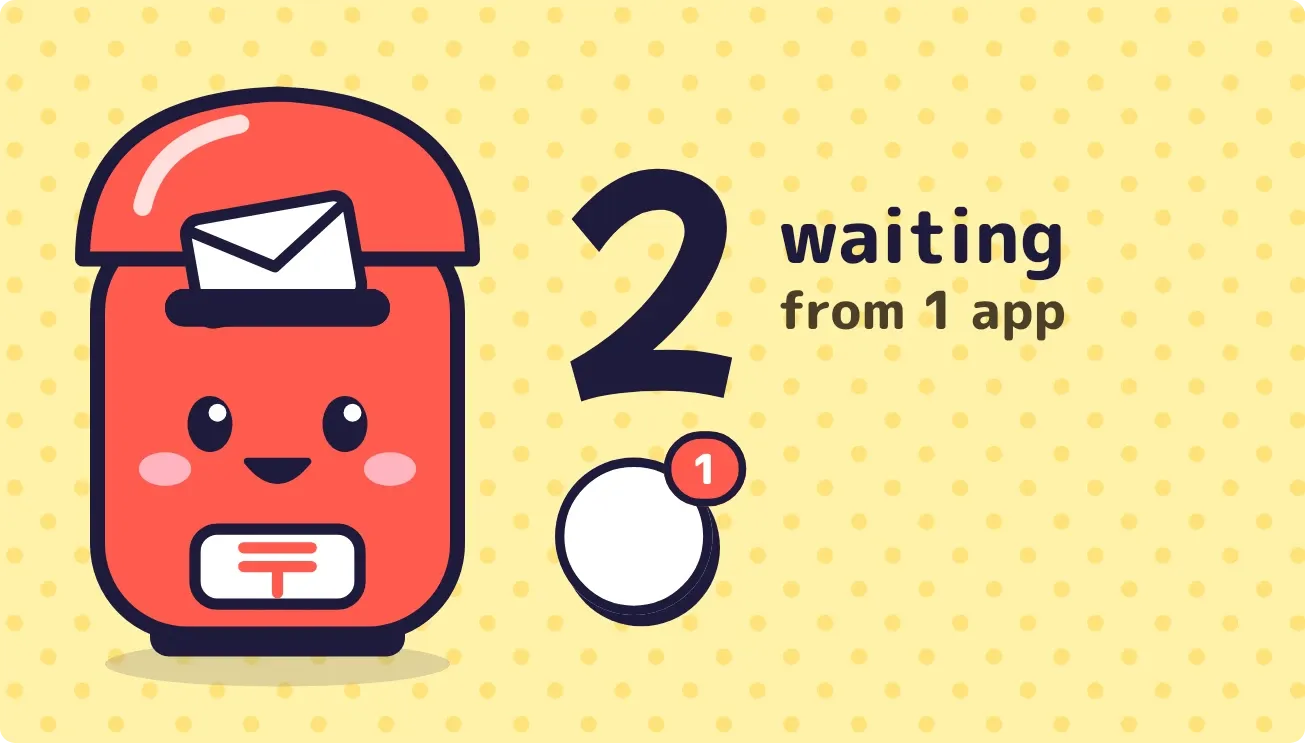
Postbox Pal is a red postbox with a face on a pale yellow dotted background. It shows how many notifications are waiting as a large number, with the number of apps they come from beside it. Below the number, up to three round app stickers each carry a small red count.
- Size
- 4x2 cells
- Kit
- Playful
- Shows
- Notifications
- Look
- Cartoon, kawaii and stickers
- Colours
- Yellow and red, light background
- Good for
- Inbox check, staying on top of messages and daily check-in
- Android
- 10 or newer
- Needs
- Notification access
- Price
- Free
Kiwi is in beta and is not on Google Play yet. Join to request an invitation.
- app-badges
- badge-count
- big-numbers
- bright
- cartoon
- colourful
- cute
- dots
- inbox
- kawaii
- letters
- mailbox
- mascot
- notification-count
- notifications
- playful
- postbox
- red
- rounded
- stickers
- unread-count
- yellow
What changes
- With one to nine notifications, a letter pokes from the slot and the postbox smiles. The number appears beside the word waiting, followed by how many apps they come from.
- At ten or more, a second pink letter appears, the postbox's eyes turn to sparkles, its mouth opens wide, and a drop shows on its top corner.
- At 100 or more, the number is drawn in a smaller size so it still fits.
- Each sticker shows an app's icon with that app's notification count. Tapping a sticker opens that app. A dark circle with dots appears after the stickers when more than three apps have notifications.
- With no notifications, the postbox closes its eyes, the letters disappear, and the text reads All clear, then Nothing waiting. Enjoy it.
- Without notification access, the postbox shows a flat sleepy face and the text Let me peek, with a prompt to allow access. Tapping it opens Kiwi.
Data and settings
- Reads the total number of notifications currently waiting on the device.
- Reads how many apps those notifications come from.
- Reads each app's icon and its own notification count for the stickers.
Set it up
- Open Postbox Pal in Kiwi, either from its kit or from this page.
- Tap Use.
- Confirm your launcher's prompt to place the widget.
- Grant Notification access, which the widget needs to count your notifications. Until you do, it shows a prompt to allow access.
Permissions
- Notification access, to count your notifications. Counting them takes notification access. Only how many there are, and from which app; never what they say.
Good to know
- It needs Notification access before it can show any count, app or sticker.
- It shows stickers for three apps at most. Any further apps appear only as a dotted circle and in the apps total.
- It shows counts and app icons only. The text of your notifications does not appear on the widget.