Dark City Clock
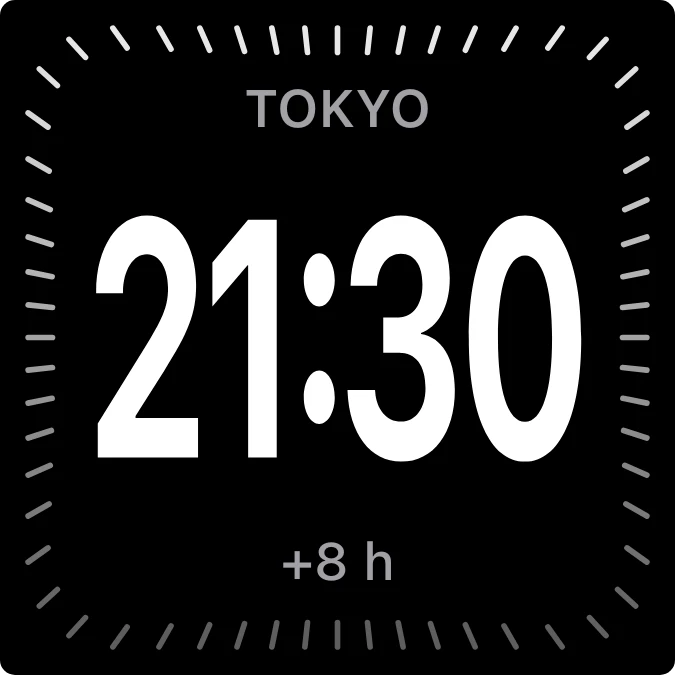
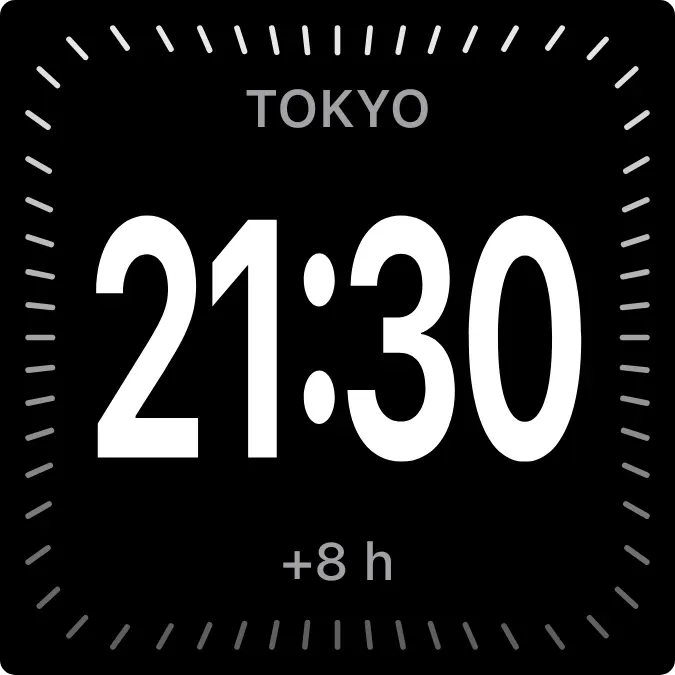
Dark City Clock is a black square clock for one city. The city name sits in small grey capitals at the top, the time is in large white digits in the middle, and the hour offset is below. A ring of thin ticks runs around the edge and fades from bright at the top to dim at the bottom.
- Size
- 2x2 cells
- Kit
- iOS & macOS
- Shows
- clocks, Time and date
- Look
- Minimal, typographic and monochrome
- Colours
- Black, dark background
- Looks like
- iPhone widgets
- Good for
- Travel and remote work
- Android
- 10 or newer
- Needs
- No additional permissions
- Price
- Free
Kiwi is in beta and is not on Google Play yet. Join to request an invitation.
- clock
- digital
- ios
- world
What changes
- With a city set, it shows that city's name, its current time and its offset in hours, such as +8 h.
- With no city set, the top line reads Pick a city, the middle shows the time, and the bottom line reads Tap to add.
- It shows only the first city in your clocks list.
- A city name too long for the top line is cut off with an ellipsis.
Data and settings
- Reads the cities in your clocks and the current time.
- You choose the city it shows. Tapping the widget lets you edit your clocks.
Set it up
- Open Dark City Clock in Kiwi, either from its kit or from this page.
- Tap Use.
- Confirm your launcher's prompt to place the widget.
- If it shows Pick a city, tap the widget to add the city you want.
Good to know
- It needs at least one city in your clocks to show a city name and offset.
- Only one city is shown at a time, even if you have several clocks.
- The offset appears as a whole-hour figure, so it shows only what the clocks data provides.



