Dark Marker Clock
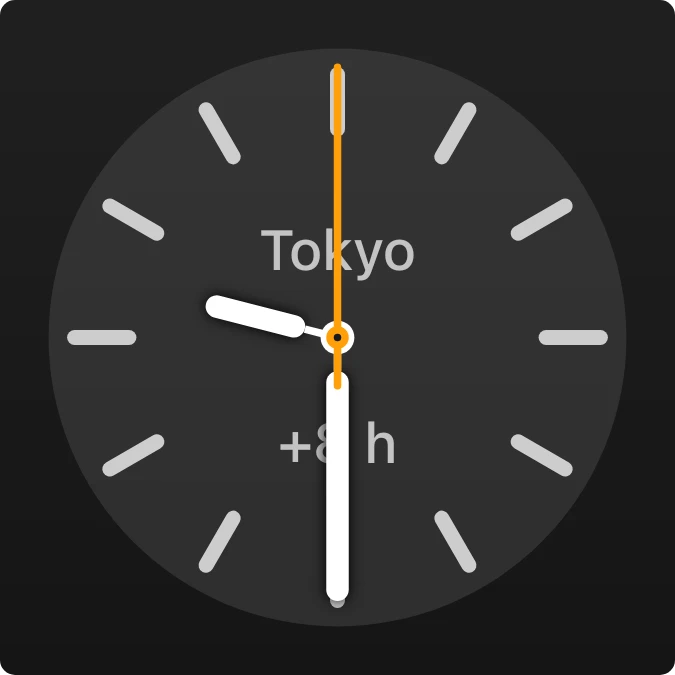
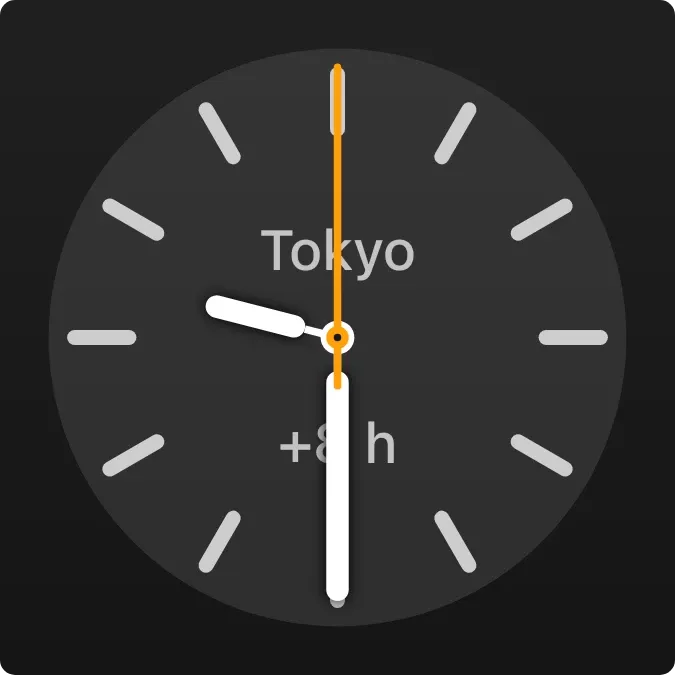
Dark Marker Clock is an analog clock for a city you choose. It has a dark round face with twelve pale hour marks, white hour and minute hands, and a thin orange second hand. The city name and its time difference sit on the face.
- Size
- 2x2 cells
- Kit
- iOS & macOS
- Shows
- clocks
- Look
- Minimal and monochrome
- Colours
- Grey and black, dark background
- Looks like
- iPhone widgets
- Good for
- Everyday, travel and remote work
- Android
- 10 or newer
- Needs
- No additional permissions
- Price
- Free
Kiwi is in beta and is not on Google Play yet. Join to request an invitation.
- clock
- ios
- world
What changes
- The hour, minute and second hands move to show the current time in the chosen city.
- The city name appears in the upper half of the face, with its time difference, such as +8 h, below the centre.
- The widget shows the first city in your clocks list.
- When no city is chosen, the face shows the text Pick a city and the hands still move, with no time difference shown.
- Tapping the widget opens the clock; tapping the empty face opens the city editing.
Data and settings
- Reads your list of clocks and shows the first city in it.
- Choose the city by adding or editing a clock in your clocks list.
- The time difference label is read from that city's clock entry.
Set it up
- Open the widget in Kiwi, either from its kit or from this page.
- Tap Use.
- Confirm your launcher's prompt to place it.
- Pick a city so the face shows a name and time difference instead of Pick a city.
Good to know
- It shows only one city, the first in your clocks list, so other cities in the list are not displayed.
- The face has no numerals, date or digital time; the time is read from the hands and marks.
- Until a city is chosen, it shows Pick a city in place of a city name and time difference.



