Full Day Weather
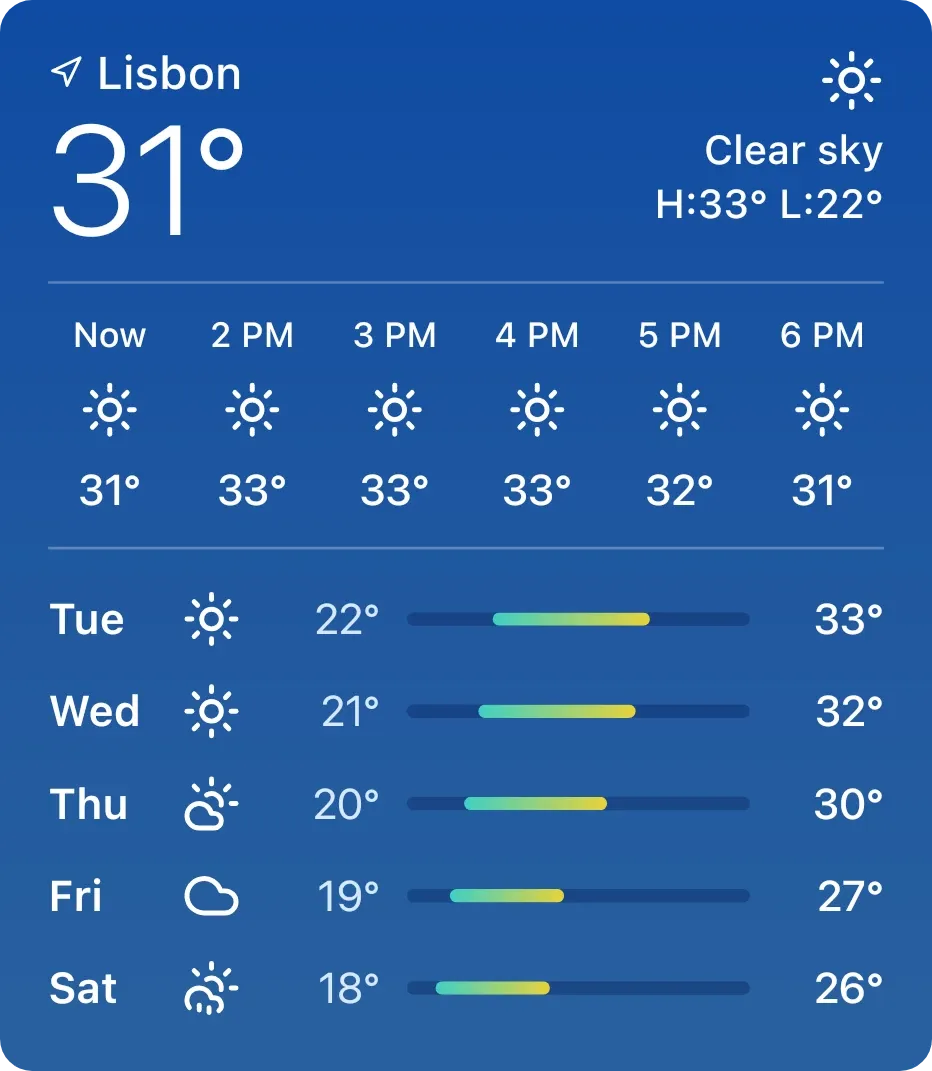
Full Day Weather is a tall blue card showing the weather for one city. The top shows the city name, the current temperature in large type, an icon with the condition, and the day's high and low. Below are the next six hours, then five days of low and high temperatures with a range bar.
- Size
- 4x4 cells
- Kit
- iOS & macOS
- Shows
- Weather
- Look
- Gradient and minimal
- Colours
- Blue, light background
- Looks like
- iPhone widgets
- Good for
- Commute and planning
- Android
- 10 or newer
- Needs
- No additional permissions
- Price
- Free
Kiwi is in beta and is not on Google Play yet. Join to request an invitation.
- forecast
- ios
- weather
What changes
- The current temperature, condition, weather icon and the day's high and low update as the weather data changes.
- The hourly row lists six time slots, starting with the current hour, each with an icon and a temperature.
- The daily list shows five days, each with a short day name, an icon, a low, a high and a coloured bar that marks that day's range.
- The icons change with the conditions, and the current and hourly icons switch between day and night versions.
- While there is no weather to show, the card replaces the forecast with a single centred message, such as a prompt to set a city.
Data and settings
- Reads weather data for the city you chose: current temperature, condition, high, low, hourly and daily forecasts.
- The city is set in Kiwi.
- Temperatures appear in Celsius or Fahrenheit, following the weather unit.
Set it up
- Open the widget in Kiwi, from its kit or from this page.
- Tap Use.
- Set a city for the weather in Kiwi.
- Confirm your launcher's prompt to place the widget.
Good to know
- It needs an internet connection to get weather data, so the forecast can't update offline.
- Until a city is set, it shows a message in place of the forecast.
- It shows one city at a time, with six hours and five days of forecast.



