Inkday
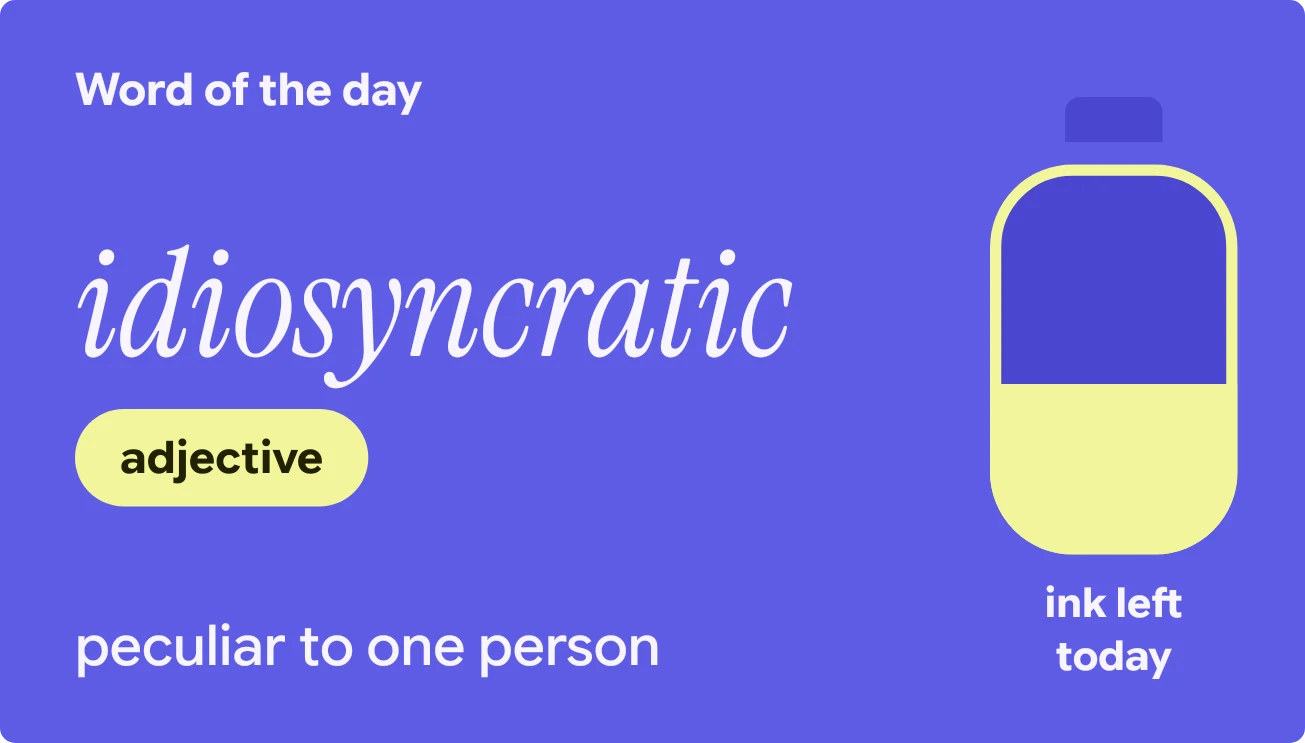
Inkday shows a word of the day in large italic serif type on a blue-violet background. Below the word sits a small yellow tag with its part of speech, and a short meaning runs along the bottom. On the right is an ink jar outlined in yellow, labelled "ink left today".
- Size
- 4x2 cells
- Kit
- Material Expressive
- Shows
- Daily, Time and date
- Look
- Typographic, bold shapes and colourful
- Colours
- Blue, dark background
- Looks like
- Pixel widgets
- Good for
- Studying, learning english and morning routine
- Android
- 10 or newer
- Needs
- No additional permissions
- Price
- Free
Kiwi is in beta and is not on Google Play yet. Join to request an invitation.
- at-a-glance
- big-words
- bold
- countdown
- date
- day-of-week
- daylight
- dictionary
- dusk
- ink
- italic
- minimal
- minimal-typography
- noun
- pill
- progress
- purple
- serif
- time-of-day
- typography
- vocabulary
- week
- white
- word-of-the-day
- yellow
What changes
- The yellow ink level in the jar sinks as the day goes by, so the jar is nearly empty by night.
- The word, its part of speech and its meaning change with each new day.
- The meaning is shown on up to three lines, and a very long word is cut off with an ellipsis rather than wrapping.
- The look stays the same all day. Only the ink level changes.
Data and settings
- Reads the word of the day, with its part of speech and meaning.
- Reads the time of day to set how much ink is left in the jar.
- There is nothing to set.
Set it up
- Open the widget in Kiwi, either from its kit or from this page.
- Tap Use.
- Confirm your launcher's prompt to place it on your home screen.
Good to know
- The jar shows how much of the day has passed, not an exact clock time.
- It shows one word per day, so you can't look back at earlier words or ahead to later ones.
Widgets like Inkday
 Tapeline DayInstruments
 Pearl RunwayInstruments
 Zigzag JauntPlayful



