Red Stop Ring
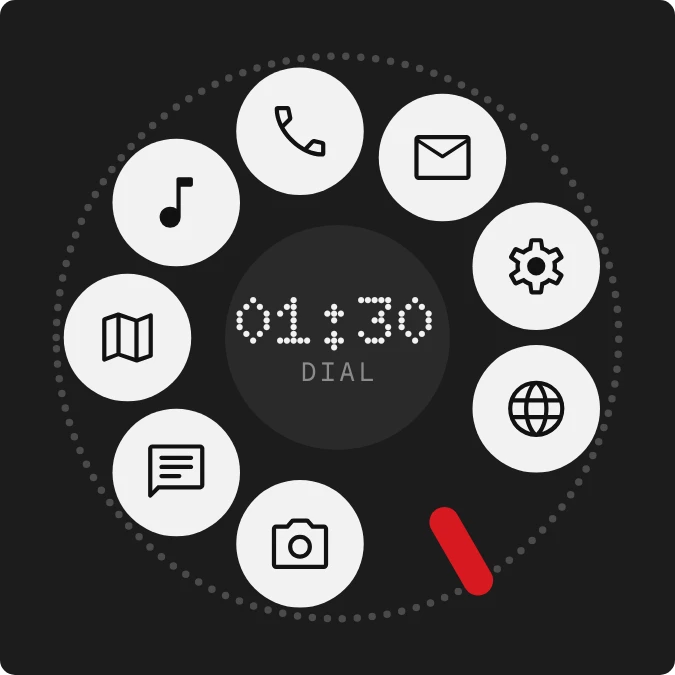
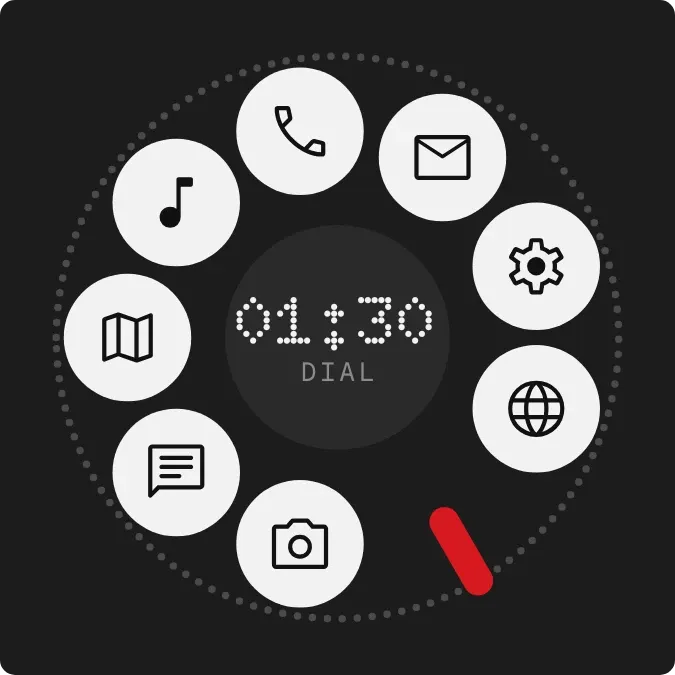
Red Stop Ring styles the home screen as a rotary phone dial. Eight white round discs, each with a small black icon, sit in a ring around a dark hub, with a dotted outer track and a short red finger stop at the lower right. The time appears at the hub in dot-matrix digits above the word DIAL.
- Size
- 2x2 cells
- Kit
- Nothing
- Shows
- Time and date
- Look
- Dot matrix, retro and hardware
- Colours
- Black, white and grey, dark background
- Looks like
- Nothing widgets
- Good for
- Quick app access, everyday launcher and retro setup
- Android
- 10 or newer
- Needs
- No additional permissions
- Price
- Free
Kiwi is in beta and is not on Google Play yet. Join to request an invitation.
- app-icons
- big-numbers
- black
- bold
- clock
- dark
- dial
- digital
- digital-clock
- dot-matrix
- dots
- grey
- minimal
- monochrome
- moody
- nothing
- red
- retro
- rotary-dial
- round
- shortcuts
- tactile-hardware
- time
- typographic
- white
What changes
- The time at the hub shows hours and minutes, with the hour written with two digits, such as 01:30.
- The time changes as the minutes pass. The discs, the red stop and the DIAL label stay where they are.
- Tapping the camera disc opens the camera, and tapping the chat disc opens messages.
- Tapping the map disc opens maps, and tapping the music note disc opens music.
- Tapping the phone disc opens the dialer, and tapping the envelope disc opens email.
- Tapping the gear disc opens settings, and tapping the globe disc opens the browser.
Data and settings
- Reads the current time to show the hour and minutes at the hub.
Set it up
- Open Red Stop Ring in Kiwi, either from its kit or from this page.
- Tap Use.
- Confirm your launcher's prompt to place it on your home screen.