Sunpeel
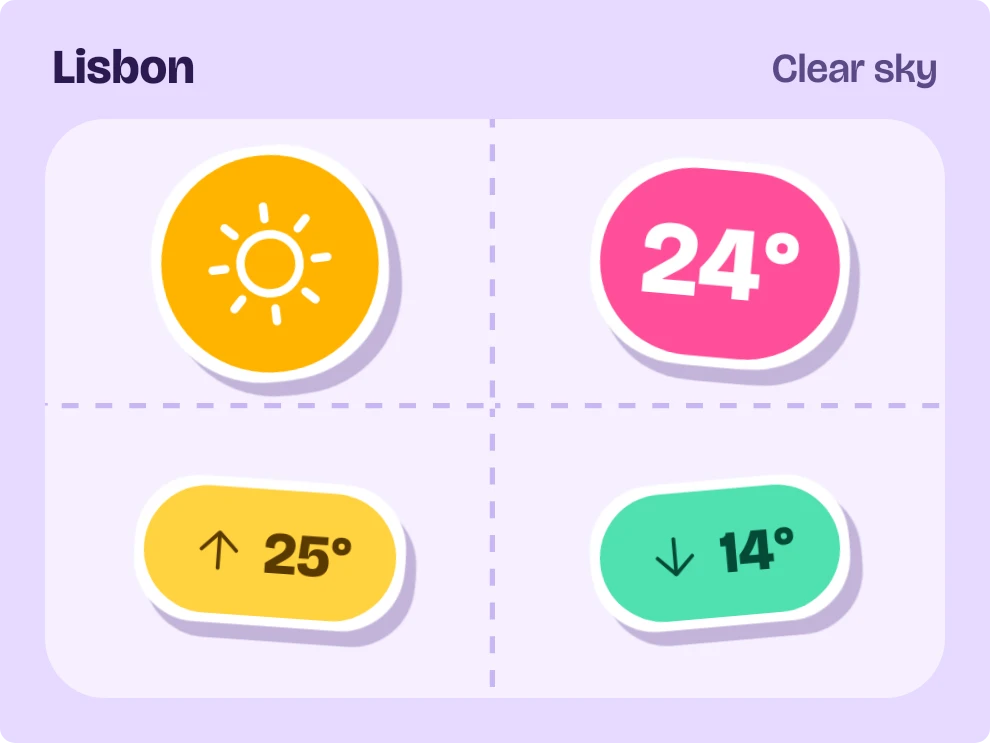
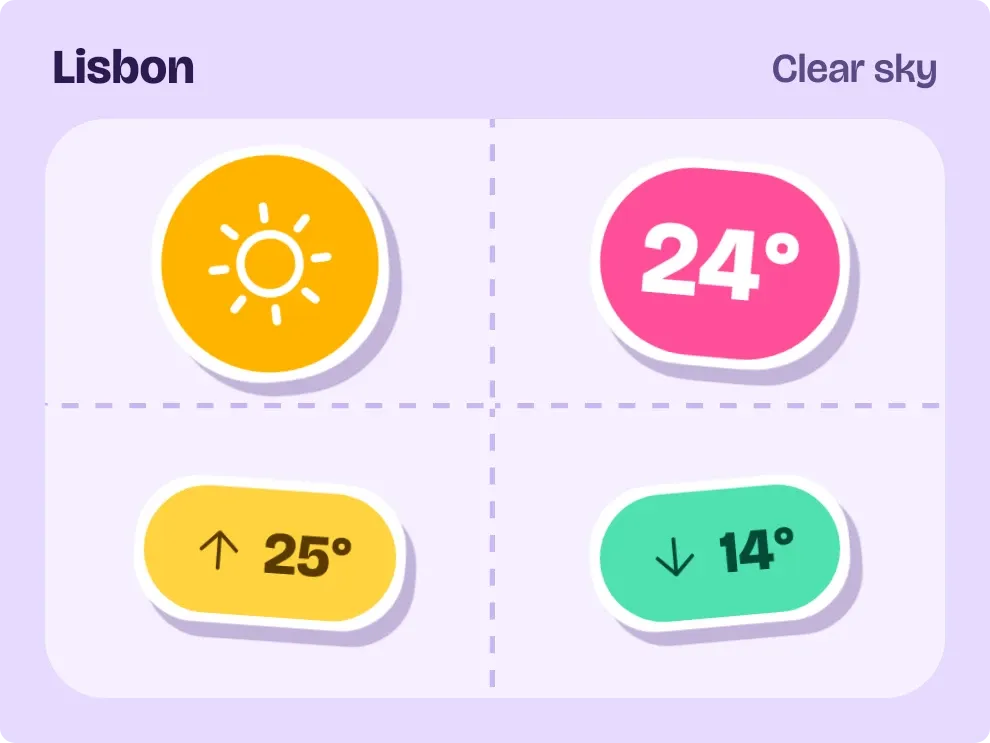
Sunpeel shows today's weather as four die-cut stickers on a pale lilac sheet: a round weather badge, a pink temperature pill, a yellow chip for the high and a mint chip for the low. Each sticker has a white outline and a soft shadow, and sits at a slight tilt. The city name and the current condition run along the top.
- Size
- 3x2 cells
- Kit
- Playful
- Shows
- Weather
- Look
- Stickers, colourful and bold shapes
- Colours
- Purple, light background
- Good for
- Morning check, summer and sunny day
- Android
- 10 or newer
- Needs
- No additional permissions
- Price
- Free
Kiwi is in beta and is not on Google Play yet. Join to request an invitation.
- big-numbers
- bright
- cheerful
- clear-sky
- colourful
- cute
- die-cut
- forecast
- high-low
- kawaii
- mint-green
- pastel
- pill
- pink
- playful
- purple
- rounded
- sticker
- stickers
- sun
- temperature
- weather
- weather-now
- yellow
What changes
- The round badge shows an icon for the current weather: sun, sun with cloud, cloud, rain, snow, thunder or fog. Its colour changes with the weather, for example amber for sun and purple for thunder.
- The pink pill shows the current temperature. The yellow chip with an up arrow shows today's high, and the mint chip with a down arrow shows today's low.
- The condition is written at the top right in words, such as Clear sky. The city name sits at the top left.
- Tapping the widget refreshes the weather.
- When there is no weather to show, the stickers are replaced by one pink sticker with a message, which reads No city set when no city has been chosen.
- Under that message, a hint reads Tap to pick a city in Kiwi if no city is set, and Tap to try again in other cases.
Data and settings
- Reads the weather for your chosen city: the city name, the current condition, the weather icon, the current temperature, and today's high and low.
- City: the place the weather is shown for.
Set it up
- Open Sunpeel in Kiwi, either from its kit or from this page.
- Tap Use.
- Confirm your launcher's prompt to place the widget on your home screen.
- Pick a city when the widget asks for one. It shows No city set until you do.
Good to know
- It needs a city to be set before it can show any weather.
- It needs an internet connection to get the weather. If the weather can't be loaded, it shows a message and asks you to tap to try again.
- Long city names and long condition descriptions are cut short with an ellipsis.
Widgets like Sunpeel
 PeppercastNothing
 Hot SpotInstruments
 Silk SwitchboardGlass