Silk Switchboard
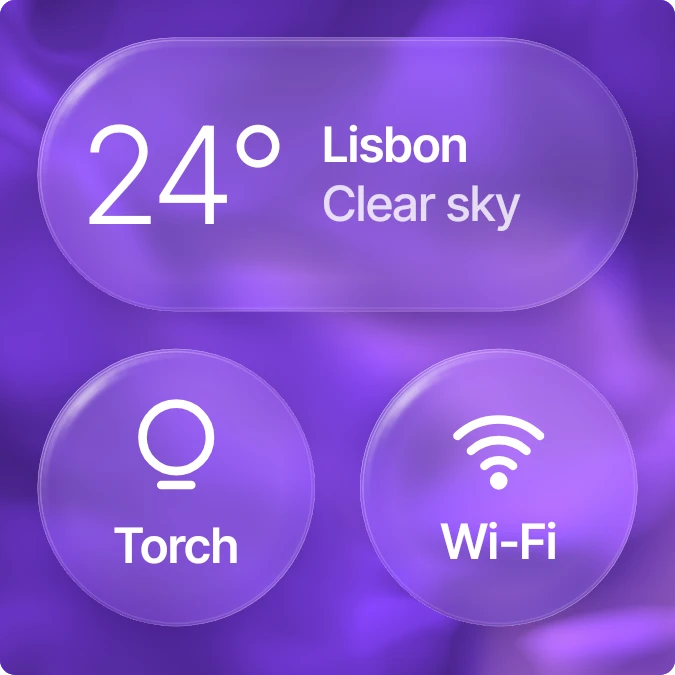
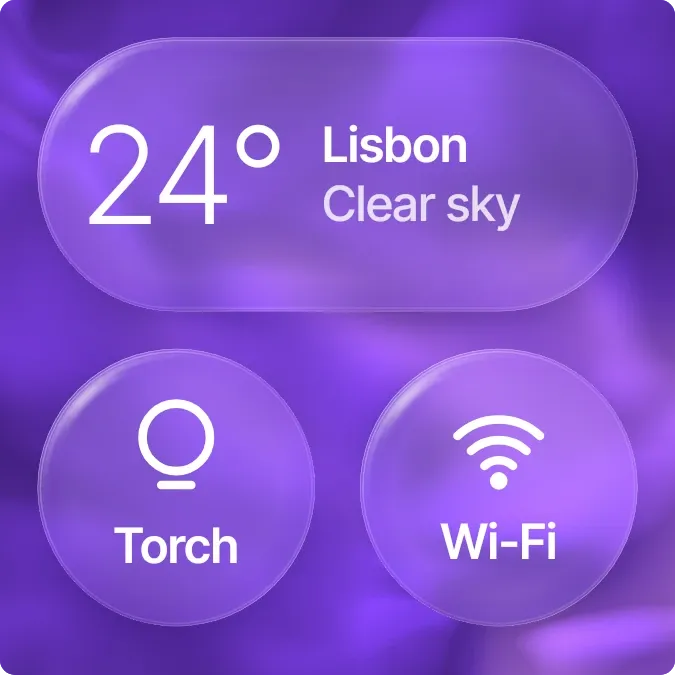
Silk Switchboard shows the current temperature, city and sky condition inside a wide frosted glass pill. Below it sit two round glass switches, one for the torch and one for Wi-Fi. All three float over a violet silk background with softly rounded corners.
- Size
- 2x2 cells
- Kit
- Glass
- Shows
- Phone controls, Weather
- Look
- Glass, gradient and minimal
- Colours
- Purple, dark background
- Looks like
- iPhone widgets
- Good for
- Night walk, commute and dark room
- Android
- 10 or newer
- Needs
- No additional permissions
- Price
- Pro
Kiwi is in beta and is not on Google Play yet. Join to request an invitation.
- bold
- cloudy-sky
- colourful
- controls
- dreamy
- flashlight
- flashlight-toggle
- forecast
- frosted-glass
- glass
- liquid-glass
- live
- purple
- rounded
- shortcuts
- sky
- sun
- temperature
- tiles
- torch
- transparent
- violet
- weather-now
- white
- wifi
What changes
- The pill shows the temperature in large thin numbers, with the city name and the sky condition, such as Partly cloudy, beside it.
- Tapping the pill refreshes the weather.
- Tapping the torch switch turns the torch on or off. Its label reads Torch when the torch is off and On when it is lit.
- The Wi-Fi switch reads Wi-Fi while the phone is connected to Wi-Fi and Offline when it is not.
- Tapping the Wi-Fi switch opens the phone's settings.
Data and settings
- Reads the weather: the temperature, city and sky condition.
- Reads whether the torch is on.
- Reads whether the phone is connected to Wi-Fi.
Set it up
- Open Silk Switchboard in Kiwi, either from its kit or from this page.
- Tap Use.
- Confirm your launcher's prompt to place the widget on your home screen.
Good to know
- The weather needs an internet connection to load and refresh, so the pill may not update while the phone is offline.
- The Wi-Fi switch shows only whether Wi-Fi is connected. It does not show the network name or signal strength.
Widgets like Silk Switchboard
 Sundown PaneScenes
 Deep EndScenes
 SandglowScenes
 Blush NoonPlayful