Waxline
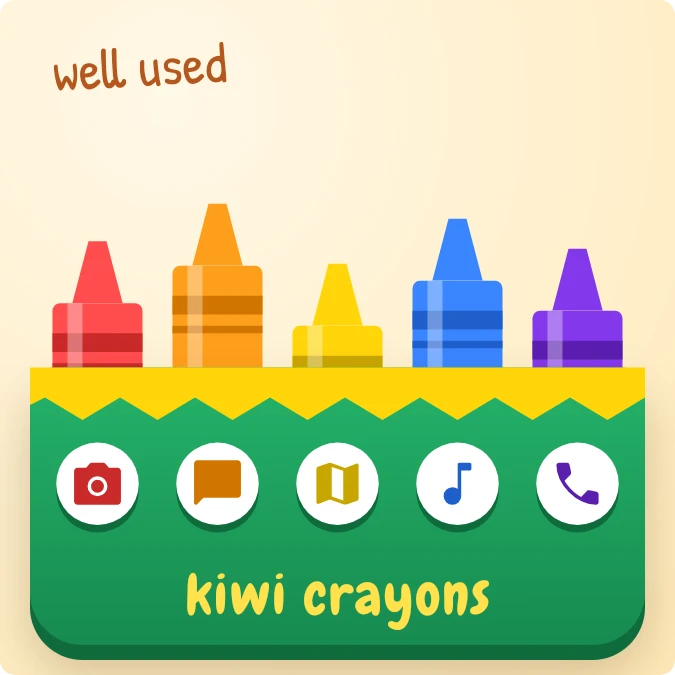
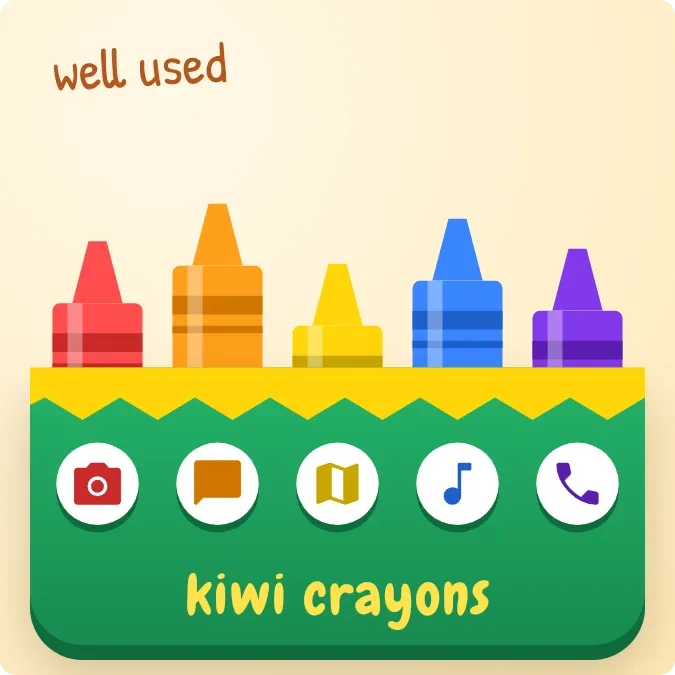
Five crayons in red, orange, yellow, blue and purple stand in a green box with a zigzag yellow edge. Each crayon has a round app icon below it, and the words kiwi crayons run along the bottom. A short handwritten note sits in the top left corner.
- Size
- 2x2 cells
- Kit
- Playful
- Shows
- Time and date
- Look
- Cartoon, colourful and bold shapes
- Colours
- Yellow, orange and green, light background
- Good for
- School, back to school and art class
- Android
- 10 or newer
- Needs
- No additional permissions
- Price
- Free
Kiwi is in beta and is not on Google Play yet. Join to request an invitation.
- app-icons
- app-shortcuts
- blue
- bright
- candy
- cartoon
- chunky
- colourful
- crayon
- cream
- cute
- green
- handwritten
- kawaii
- orange
- playful
- purple
- red
- rounded
- shortcuts
- stickers
- tactile
- time-of-day
- warm
- yellow
What changes
- The crayons get shorter as the day goes on, so they are tallest at the start of the day and stubby by night.
- The note in the top left changes with the time of day: fresh box in the morning, well used in the afternoon.
- In the evening the note reads getting stubby, and at night it reads worn to stubs.
- Tapping a crayon or the icon beneath it opens an app: red for the camera, orange for messages, yellow for maps, blue for music, purple for the phone dialer.
Data and settings
- Reads the time: which part of the day it is, and how much of the day is left.
- Each crayon's length and the note both come from that.
Set it up
- Open the widget in Kiwi, either from its kit or from this page.
- Tap Use.
- Confirm your launcher's prompt to place it on your home screen.
Widgets like Waxline
 HatchmarkMaterial You