Hatchmark
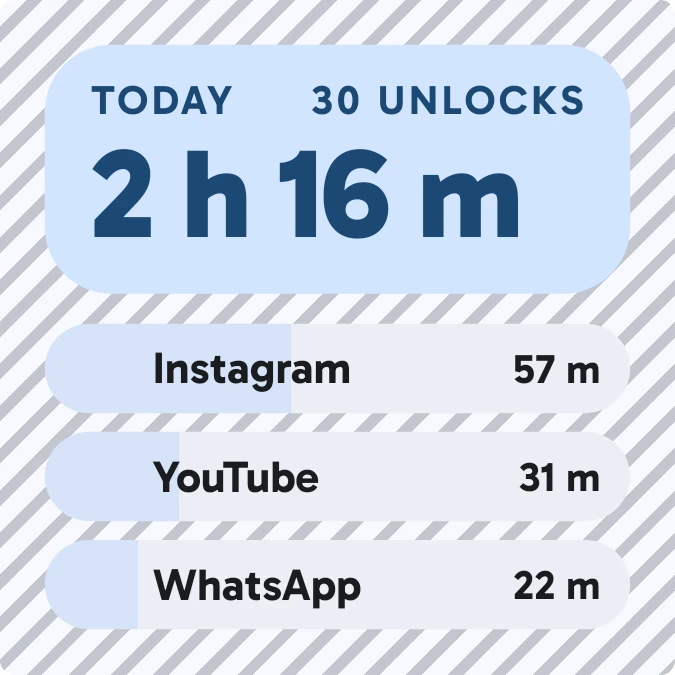
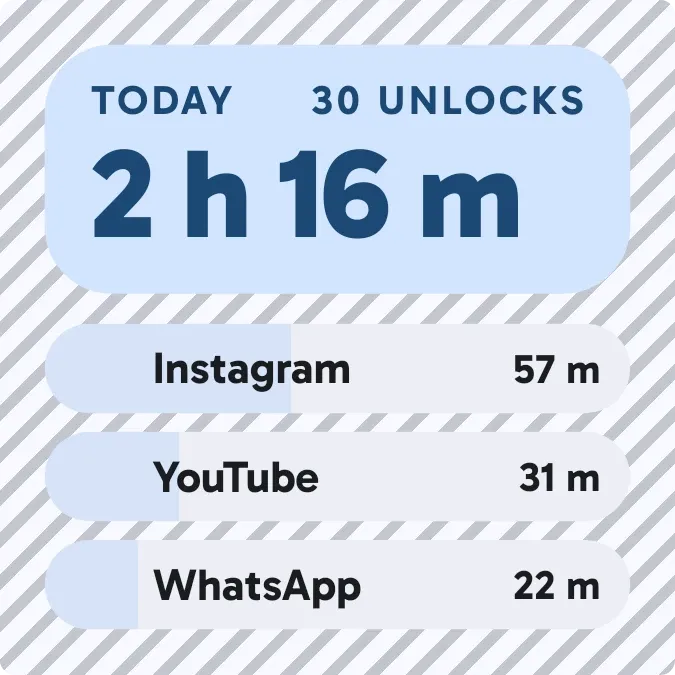
Hatchmark shows how long the screen has been on today. A lilac card at the top gives the total time in large numbers beside the number of unlocks. Below it, the three most used apps each get a row with an icon, a name, the time spent and a bar. The whole widget sits on diagonal stripes.
- Size
- 2x2 cells
- Kit
- Material You
- Shows
- Now playing, Screen time
- Look
- Bold shapes, pastel and typographic
- Colours
- Purple, white and pink, light background
- Looks like
- Pixel widgets
- Good for
- Digital detox, study and focus
- Android
- 10 or newer
- Needs
- Usage access
- Price
- Free
Kiwi is in beta and is not on Google Play yet. Join to request an invitation.
- app-usage
- apps
- big-numbers
- bold
- calm
- counter
- cover-tinted
- digital
- lilac
- minimal
- pastel
- phone-usage
- progress
- progress-bar
- purple
- screen-time
- striped
- stripes
- tally-counter
- unlocks
- white
What changes
- The top card reads Today, then the unlock count, then the total screen time, for example 42 unlocks and 3 h 12 m.
- Each of the three app rows shows the app's icon, its name and the time spent in it. A lilac bar fills the row up to that app's share.
- Tapping an app row opens that app.
- If the screen has been off all day so far, the rows are replaced by a card reading Nothing yet, with a note that the screen has been off today.
- Without usage access, the widget shows only a card reading Allow usage access. Tapping it opens Kiwi.
Data and settings
- Reads total screen time for today.
- Reads how many times the phone has been unlocked today.
- Reads the time spent in each app today, to pick the top three.
- Nothing in the widget is set by the person using it.
Set it up
- Open Hatchmark in Kiwi, either from its kit or from this page.
- Tap Use.
- Confirm your launcher's prompt to place it.
- If the widget shows Allow usage access, tap it to open Kiwi and switch usage access on.
Permissions
- Usage access, for your screen time. Screen time comes from Android's usage access. Only how long you've used your phone, and which apps; never what you do in them.
Good to know
- It needs usage access. Until that is allowed, it shows no screen time, unlock count or app rows.
- Only the three most used apps are listed. Any other apps count toward the total but have no row.
- It reports today only and shows no earlier days.
Widgets like Hatchmark
 DaydrainMaterial Expressive
 Hour BloomInstruments
 LockstepMaterial Expressive
 HourlaceClear