Hour Bloom
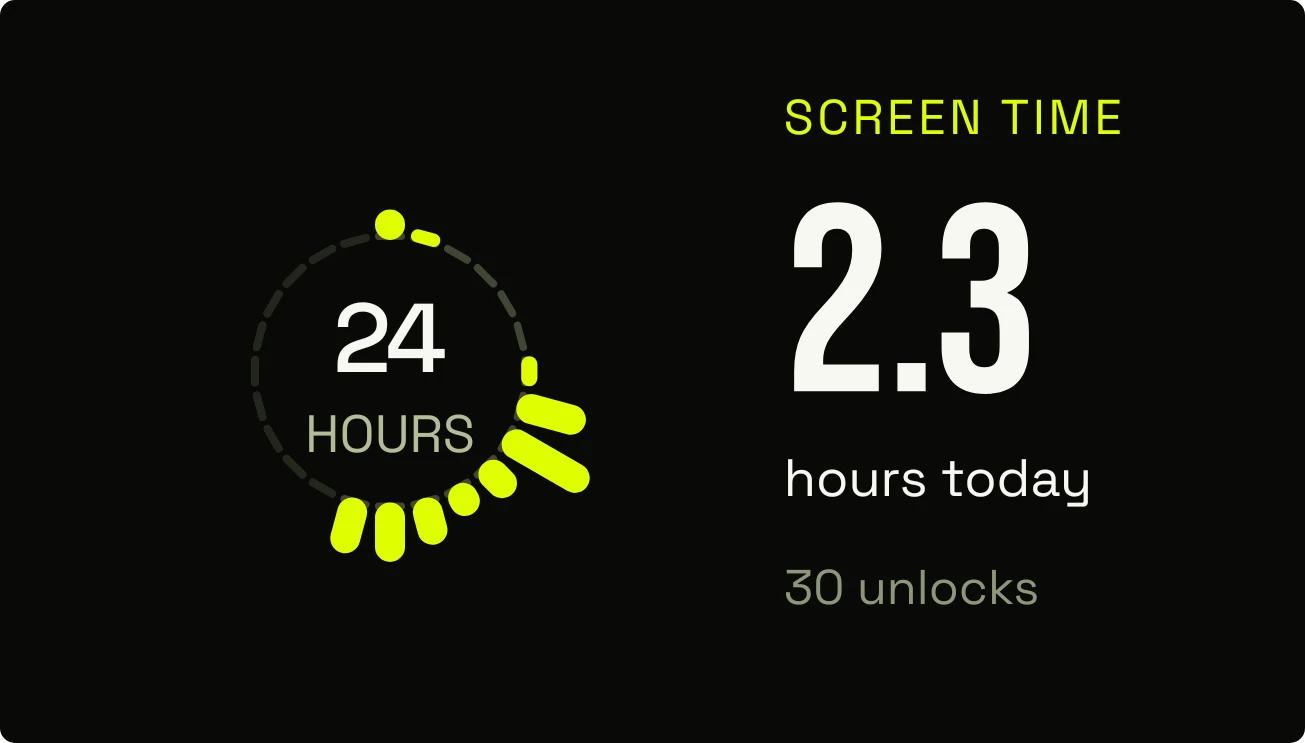
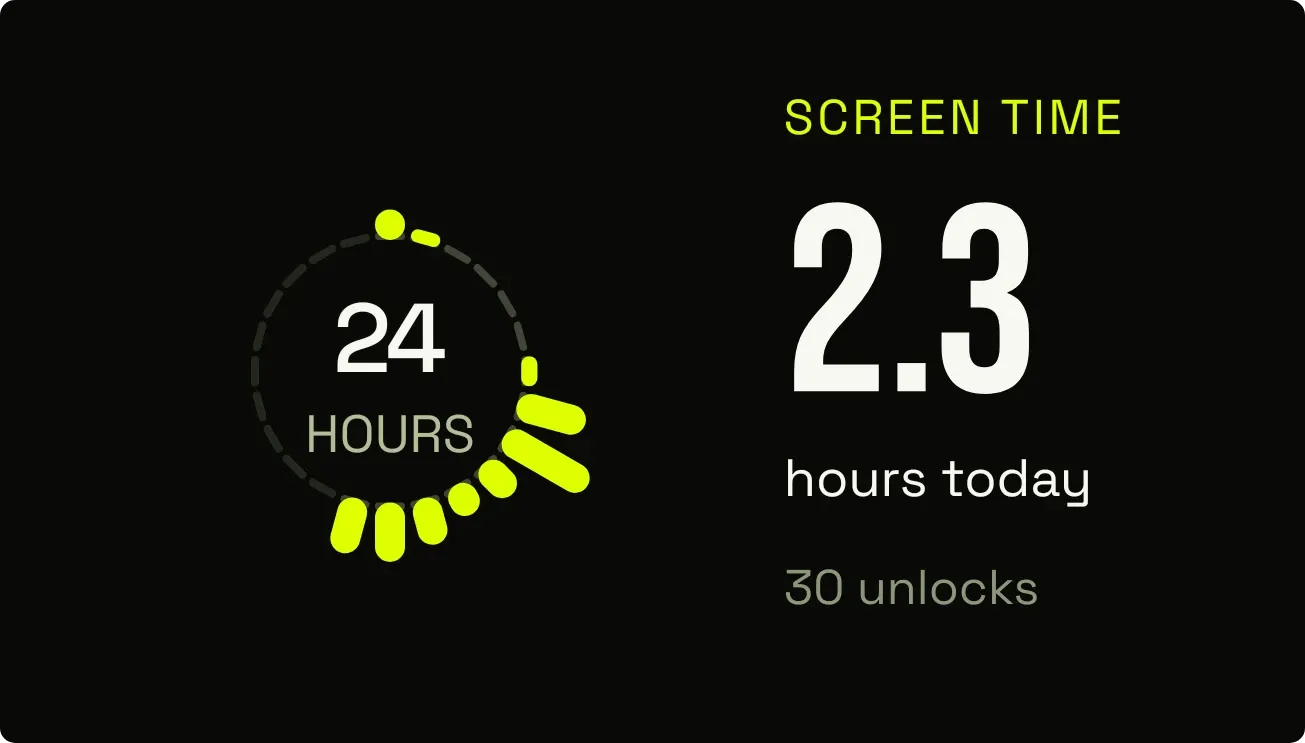
Hour Bloom draws a ring of 24 yellow-green rays on a near-black background, one for each hour of the day. Each ray grows with the time the screen was used in that hour. Beside the ring it shows today's screen time in hours and the number of unlocks.
- Size
- 4x2 cells
- Kit
- Instruments
- Shows
- Screen time
- Look
- Bold shapes, neon and typographic
- Colours
- Black, dark background
- Good for
- Digital detox, productivity and study
- Android
- 10 or newer
- Needs
- Usage access
- Price
- Free
Kiwi is in beta and is not on Google Play yet. Join to request an invitation.
- at-a-glance
- big-numbers
- black
- bold
- dark
- daylight
- dial
- digital
- glow
- hourly
- minimal
- neon
- phone-usage
- progress
- radial
- screen-time
- time
- unlocks
- yellow
What changes
- Each ray stretches in proportion to the minutes of screen use in its hour, and reaches full length at 60 minutes.
- An hour with no screen use shows only a short, dim mark in place of a ray.
- Hours that haven't come yet show as short, darker marks, so the ring fills in as the day goes on.
- The large number beside the ring is today's screen time in hours, with the label hours today under it.
- The unlock count under it reads as a number followed by unlocks, such as 42 unlocks.
- Without Usage access, the hours and unlocks are replaced by the line Own your hours. and a prompt reading Allow usage.
Data and settings
- Reads screen use for each hour of today.
- Reads the total hours of screen time today.
- Reads the number of times the phone was unlocked today.
- Needs Usage access to read any of this.
Set it up
- Open Hour Bloom in Kiwi, from its kit or from this page.
- Tap Use.
- Confirm your launcher's prompt to place the widget.
- If the widget shows Own your hours. with Allow usage, give it Usage access so it can read your screen time.
Permissions
- Usage access, for your screen time. Screen time comes from Android's usage access. Only how long you've used your phone, and which apps; never what you do in them.
Good to know
- It can't show screen time, unlocks or rays until Usage access is allowed.
- It shows today's figures only, with no earlier days.
- Each ray covers one hour, so the ring shows the shape of the day but not which apps were used.
- Each ray stops growing at 60 minutes, so a full hour of use is the longest a ray gets.
Widgets like Hour Bloom
 DaydrainMaterial Expressive
 HatchmarkMaterial You
 Lime QuartetWatch Face
 HourlaceClear