Lime Quartet
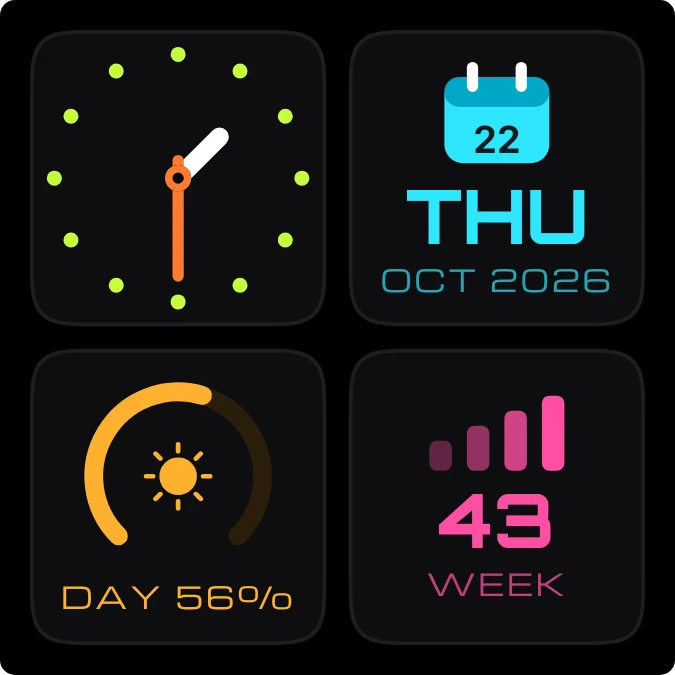
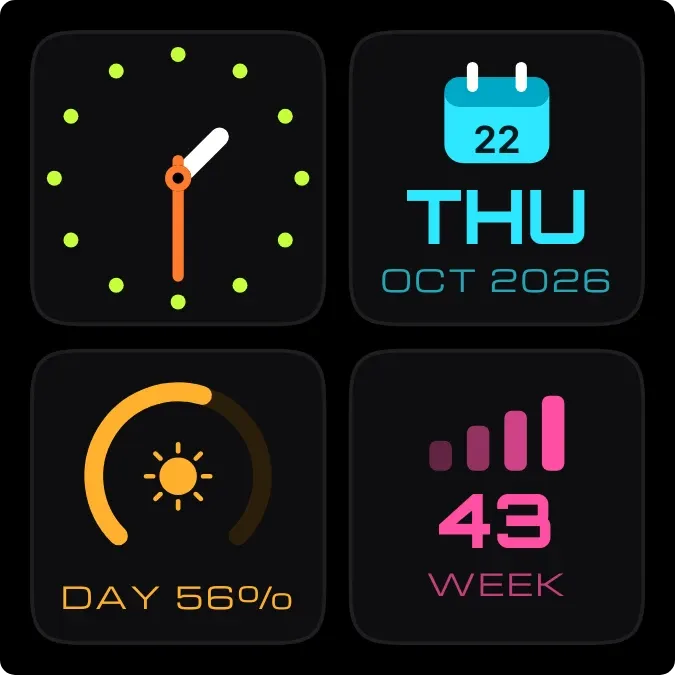
Lime Quartet is a set of four black rounded tiles. One holds an analog clock ringed by twelve lime dots, with a white hour hand and an orange minute hand. One is a cyan calendar leaf with the day, weekday, month and year. One is an orange arc around a sun, with the share of the day passed. The last shows the week number beside four rising pink bars.
- Size
- 2x2 cells
- Kit
- Watch Face
- Shows
- Time and date
- Look
- Neon, watch face and bento
- Colours
- Black, dark background
- Good for
- Daily planning, desk setup and work
- Android
- 10 or newer
- Needs
- No additional permissions
- Price
- Free
Kiwi is in beta and is not on Google Play yet. Join to request an invitation.
- 2x2
- analog
- analog-clock
- at-a-glance
- big-numbers
- black
- bold
- calendar
- colourful
- cyan
- dark
- date
- day-of-week
- day-progress
- dial
- dots
- lime
- moon
- orange
- pink
- progress
- sun
- time-of-day
- watch-face
- week
What changes
- The white hour hand and orange minute hand follow the current time. The twelve lime dots stay in place.
- The calendar leaf shows the day of the month. Below it are the weekday in short form and the month and year, such as THU and OCT 2026.
- The orange arc fills in step with how much of the day has passed. The caption below it gives the rounded percentage, such as DAY 56%.
- The sun inside the arc changes to a pale violet moon at night.
- The pink tile shows the current week number in large figures above the word WEEK. The four bars beside it stay the same.
- Tapping the widget opens the clock. Tapping the calendar tile opens the calendar.
Data and settings
- Reads the current time and date: hour, minute, day, weekday, month, year, week number and how far through the day it is.
- Nothing in this widget needs to be set.
Set it up
- Open Lime Quartet in Kiwi, either from its kit or from this page.
- Tap Use.
- Confirm your launcher's prompt to place it on the home screen.
Widgets like Lime Quartet
 Lime PinstripeMaterial Expressive
 Lemon RosetteMaterial Expressive