Ember Abacus
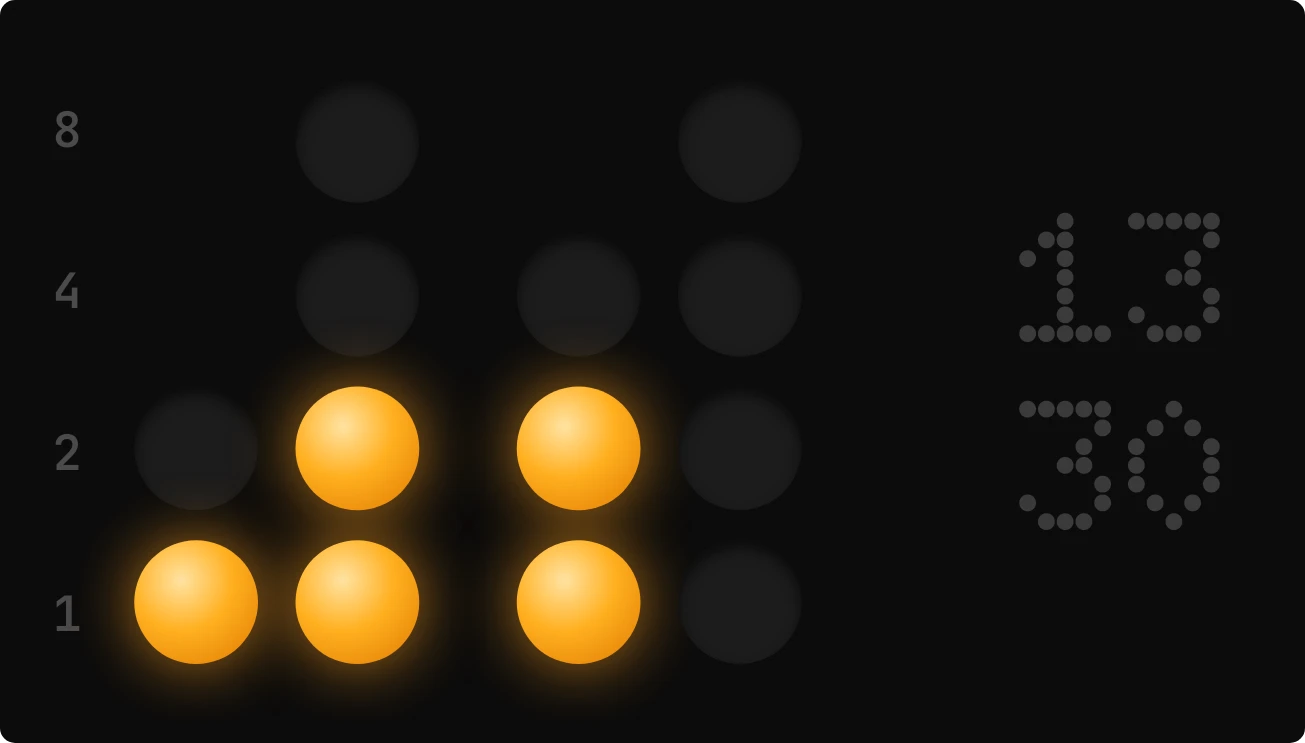
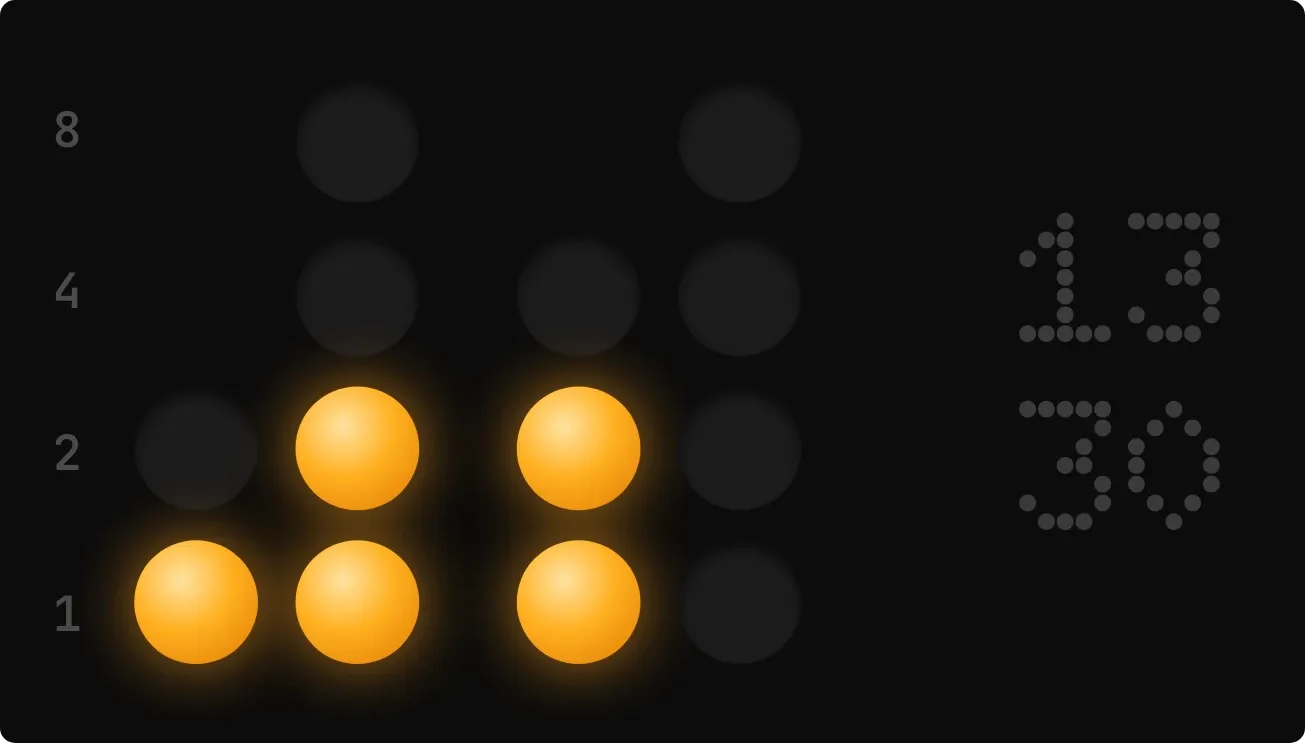
Ember Abacus shows the current time in binary on a near-black rounded card. Four columns of round beads, one pair for the hour and one pair for the minutes, light up in amber with a soft glow, and unlit beads stay dark grey. The hour and minute also appear in dim dotted digits on the right, hour above minute.
- Size
- 4x2 cells
- Kit
- Instruments
- Shows
- Time and date
- Look
- Dot matrix, neon and minimal
- Colours
- Black, dark background
- Looks like
- Nothing widgets
- Good for
- Desk setup, night and coding
- Android
- 10 or newer
- Needs
- No additional permissions
- Price
- Free
Kiwi is in beta and is not on Google Play yet. Join to request an invitation.
- abacus
- bead
- big-numbers
- binary-clock
- black
- clock
- dark
- digital-clock
- glow
- led
- orange
- orange-glow
- tactile-hardware
- time
What changes
- The beads change with the time. Each lit bead adds its value to the digit for its column, and a column with no lit beads reads zero.
- The left-hand labels 8, 4, 2 and 1 give the value of each row of beads. The two hour columns come first, then a gap, then the two minute columns.
- The first hour column and the first minute column have fewer rows, since those digits are smaller. Every other column has all four rows.
- The dotted digits on the right always show the same time as the beads, with the hour on top and the minute below.
- Tapping the widget opens the clock.
- It keeps the same dark look at all hours.
Data and settings
- Reads the current time: hours and minutes, shown as both beads and digits.
- Nothing to set. It has no options to change.
Set it up
- Open the widget in Kiwi, either from its kit or from this page.
- Tap Use.
- Confirm your launcher's prompt to place it.
Good to know
- Reading the time takes some practice, so the dotted digits on the right are there to check it against.
Widgets like Ember Abacus
 Ember LadderNothing
 Loose EndsNothing
 Redeye RoostNothing
 PeppercornNothing