Pink Pileup
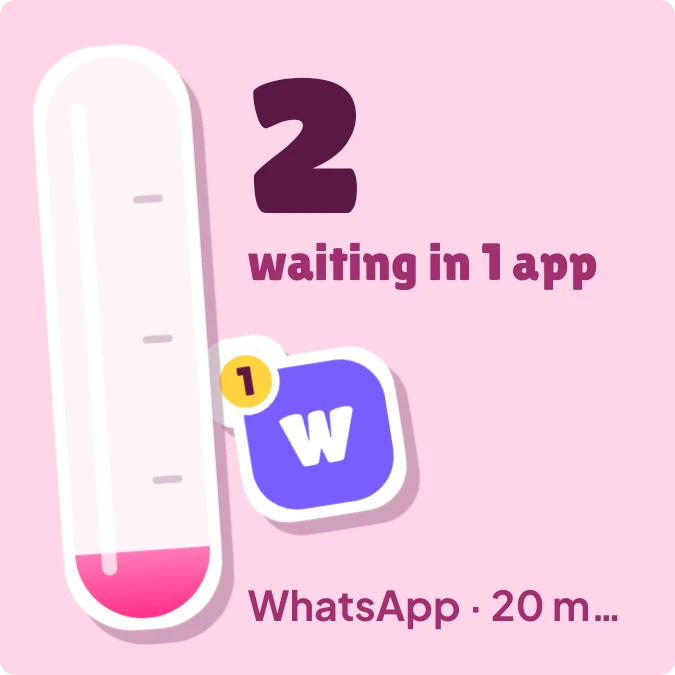
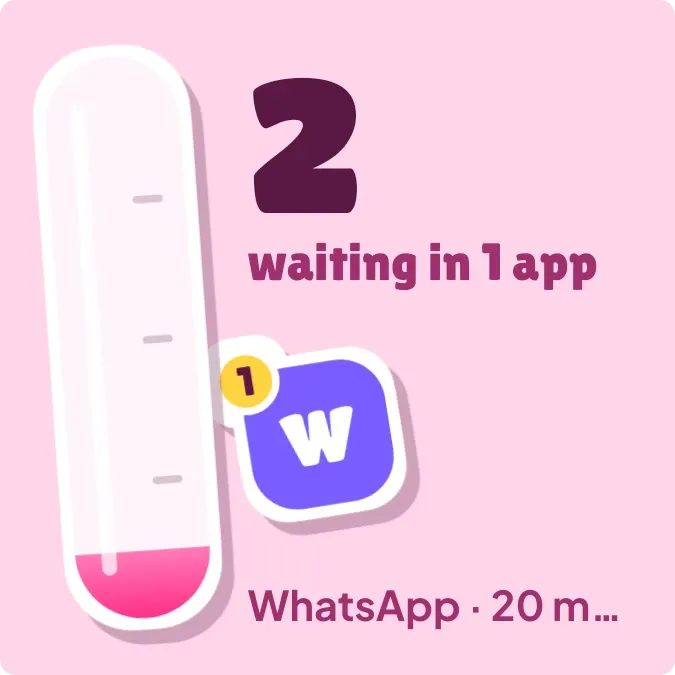
Pink Pileup shows how many notifications are waiting on your phone. A glossy pink tube on the left fills as the count grows. Beside it are the total number, how many apps it comes from, up to three tilted app-letter stickers with count badges, and a line with the latest message.
- Size
- 2x2 cells
- Kit
- Playful
- Shows
- Notifications
- Look
- Stickers, cartoon and bold shapes
- Colours
- Pink, light background
- Good for
- Inbox zero, digital detox and work messages
- Android
- 10 or newer
- Needs
- Notification access
- Price
- Free
Kiwi is in beta and is not on Google Play yet. Join to request an invitation.
- app-badges
- badge-count
- big-numbers
- blue
- bright
- cheerful
- colourful
- cute
- die-cut
- gauge
- notification-count
- notifications
- orange
- pastel
- pink
- playful
- progress-bar
- purple
- sticker
- stickers
- tactile
- unread-count
- warm
- white
What changes
- The tube fills from the bottom in proportion to the number of waiting notifications, with a small amount showing even for one. It is full at about 17.
- The large number is the total waiting, and the line under it reads waiting in 1 app or waiting in however many apps they come from.
- Each sticker shows an app's first letter on a coloured tile, with a yellow badge counting that app's notifications. Tapping a sticker opens that app.
- The line at the bottom shows the first listed app's name and its latest message, cut short with an ellipsis if it is too long.
- With nothing waiting, the tube is empty and a yellow star appears with a message saying nothing is waiting and to go touch grass.
- Without notification access, a pink Peel me tag and the words Count your pings appear. Tapping the widget opens Kiwi to allow access.
Data and settings
- Reads the notifications on your phone: the total count, the number of apps, each app's name and count, and the latest message.
- Nothing to set. The tube, stickers and text all follow your notifications.
Set it up
- Open Pink Pileup in Kiwi, either from its kit or from this page.
- Tap Use.
- Confirm your launcher's prompt to place the widget.
- Allow Notification access. If the widget shows Count your pings, tap it to allow access in Kiwi.
Permissions
- Notification access, to count your notifications. Counting them takes notification access. Only how many there are, and from which app; never what they say.
Good to know
- It needs Notification access before it can show any count, stickers or messages.
- Only three app stickers are shown, even when notifications come from more apps. The number still counts all of them.
- The latest line shows a single message, from the first app in the list.
- The tube is full at about 17 waiting, so higher counts look the same. The number still shows the real total.