Sky Seam
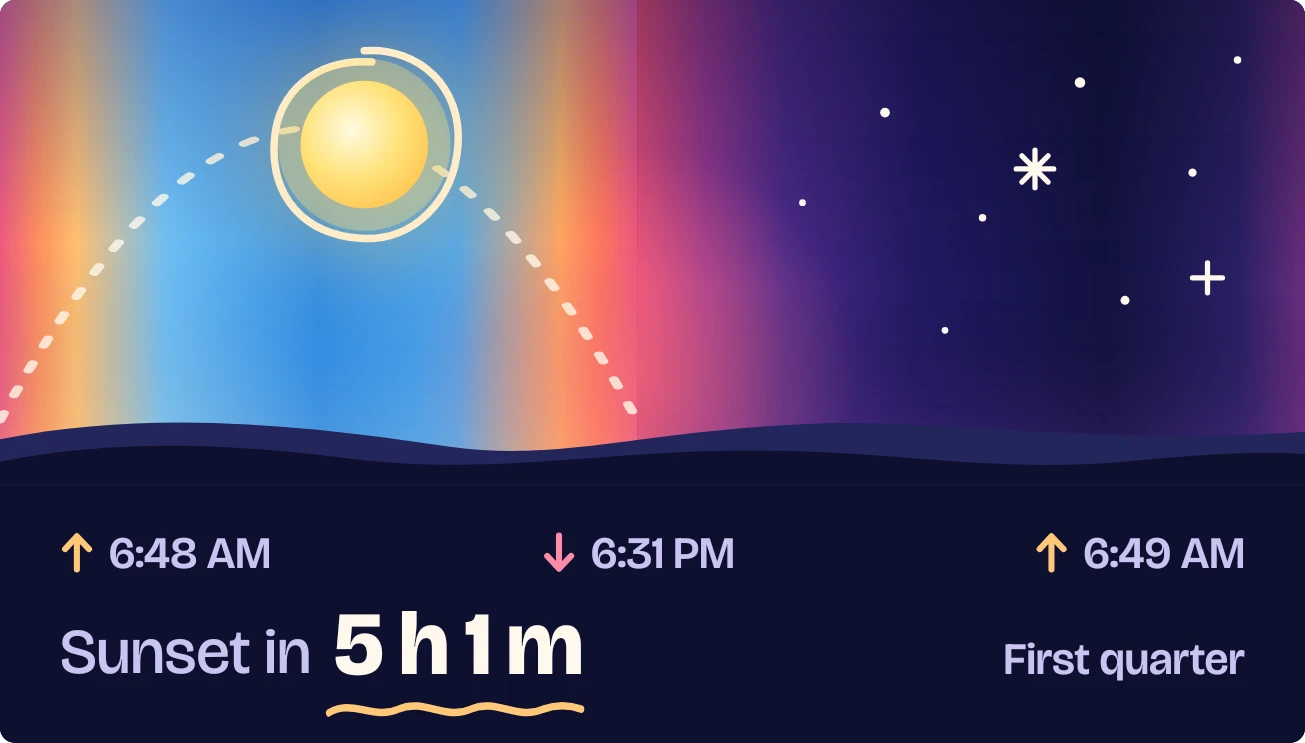
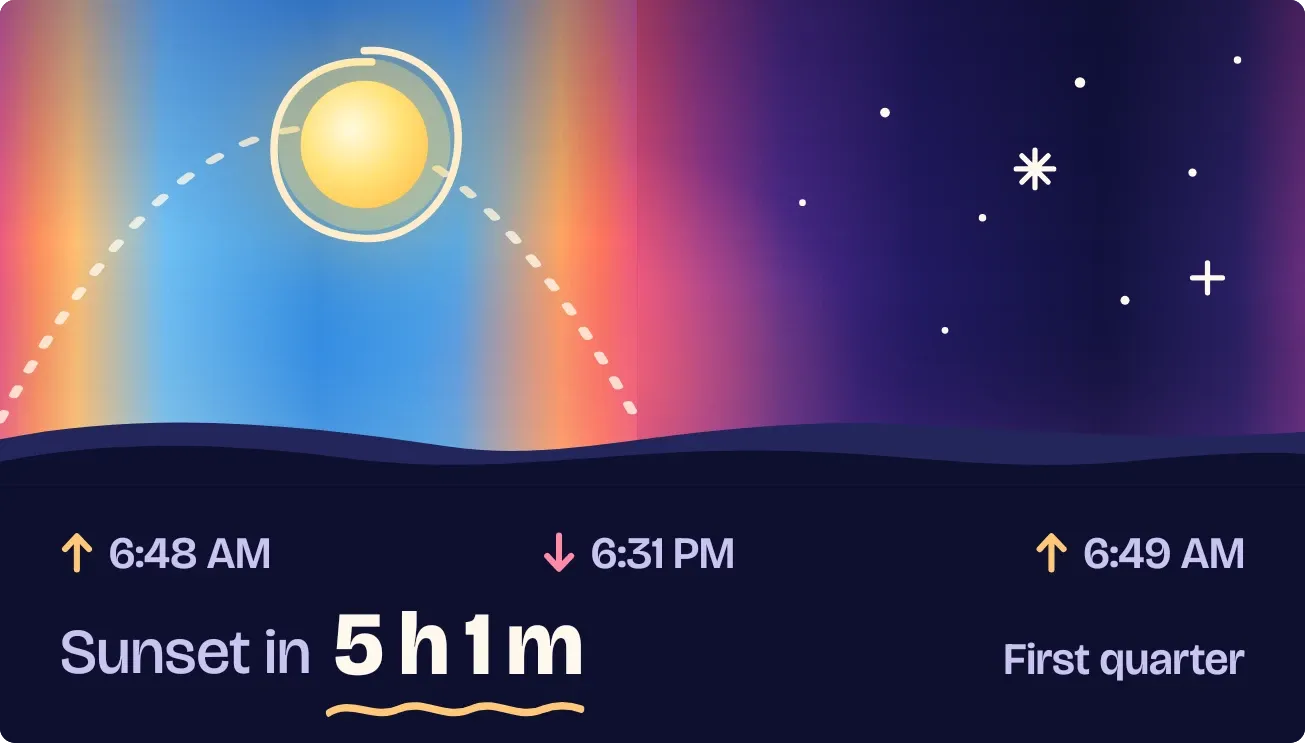
Sky Seam is a split sky: a blue day section on the left and a purple, starry night section on the right, with a dark hill line along the bottom. A dotted arc carries a glowing sun from sunrise to sunset, and after dark a moon takes its place. Below are the sunrise and sunset times, a countdown to the next one, and the moon phase.
- Size
- 4x2 cells
- Kit
- Playful
- Shows
- Sky
- Look
- Gradient, colourful and minimal
- Colours
- Blue and black, dark background
- Good for
- Golden hour, photography and evening walk
- Android
- 10 or newer
- Needs
- No additional permissions
- Price
- Free
Kiwi is in beta and is not on Google Play yet. Join to request an invitation.
- big-numbers
- blue
- bright
- colourful
- countdown
- day-and-night
- dotted-arc
- dreamy
- dusk
- first-quarter
- glow
- gradient
- moon
- moon-phase
- orange
- pink
- purple
- sky
- stars
- sun
- sunrise
- sunset
- sunset-countdown
- time-of-day
- weather
What changes
- During the day, the sun sits inside a ring and moves along the dotted arc to match the current time between sunrise and sunset.
- After sunset, the sun and arc give way to a moon that moves across the night side toward the next sunrise, drawn in its current phase.
- The blue day section is wider or narrower depending on how long the day is, so the seam between day and night moves with the seasons.
- The headline reads Sunset in or Sunrise in, followed by the time remaining and underlined with a wavy line, and it switches to whichever comes next.
- The row above it shows sunrise, sunset and tomorrow's sunrise, each with an up or down arrow. The moon phase name, such as First quarter, sits at the right.
- Without a city, the sky shows the line Set a city in Kiwi to hang the sun, and the bottom reads Dawn to night, once a city is set.
Data and settings
- Reads the sky: today's sunrise and sunset, tomorrow's sunrise, the moon's phase and how much of it is lit.
- The city you choose decides which sunrise and sunset times the widget shows.
Set it up
- Open the widget in Kiwi, either from its kit or from this page.
- Tap Use.
- Confirm your launcher's prompt to place it on your home screen.
- Set a city in Kiwi, which the widget asks for so it can place the sun and moon.
Good to know
- It needs a city to show anything. Until one is set, you see only the prompt to set a city and no sun, moon or times.
- The sun and moon positions, the times and the countdown all depend on the sunrise and sunset times for the city you set.
Widgets like Sky Seam
 Sundown PaneScenes
 Last LightScenes
 Drowsy DuskWatch Face
 SandglowScenes