Note Small
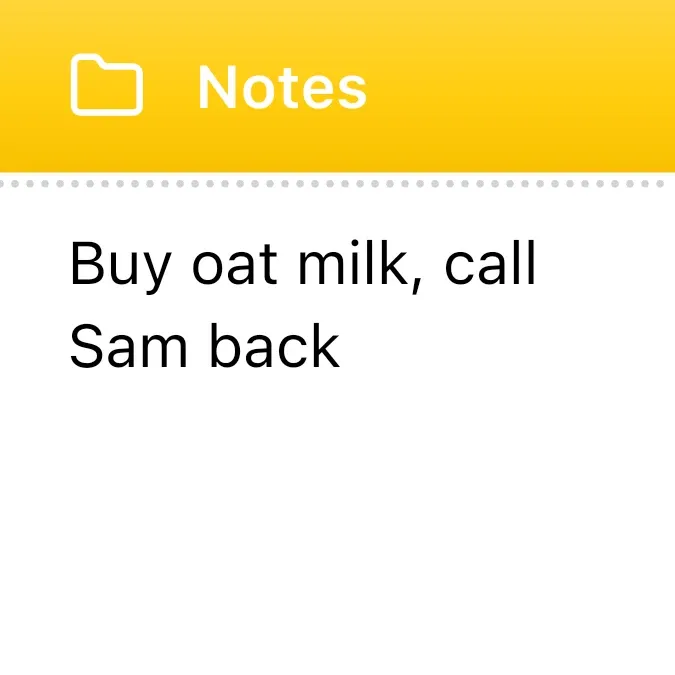
Shows the text of one of your notes on a white card. A yellow header across the top carries a white folder icon and the word Notes, and a dotted line separates it from the note. The note appears below in black text. When there is no note, a grey message takes its place.
- Size
- 2x2 cells
- Kit
- iOS & macOS
- Shows
- Notes and to-dos
- Look
- Minimal
- Colours
- White and yellow, light background
- Looks like
- iPhone widgets
- Good for
- Reminders
- Android
- 10 or newer
- Needs
- No additional permissions
- Price
- Free
Kiwi is in beta and is not on Google Play yet. Join to request an invitation.
- ios
- notes
What changes
- When a note exists, its text appears in the body of the card.
- A note longer than four lines is cut off at the fourth line and ends with an ellipsis.
- When there is no note, the card shows the grey message "No note yet. Tap to write one."
- Tapping the card opens the note for editing.
Data and settings
- Reads one of your notes and shows its text.
Set it up
- Open the Note Small widget in Kiwi, either from its kit or from this page.
- Tap Use.
- Confirm your launcher's prompt to place the widget on your home screen.
Good to know
- Only the first four lines of a note are visible on the card; the rest of a longer note is cut off.
Widgets like Note Small
 Dogear NibNothing
 Mint ScrawlMaterial Expressive



