Sherbet Grid
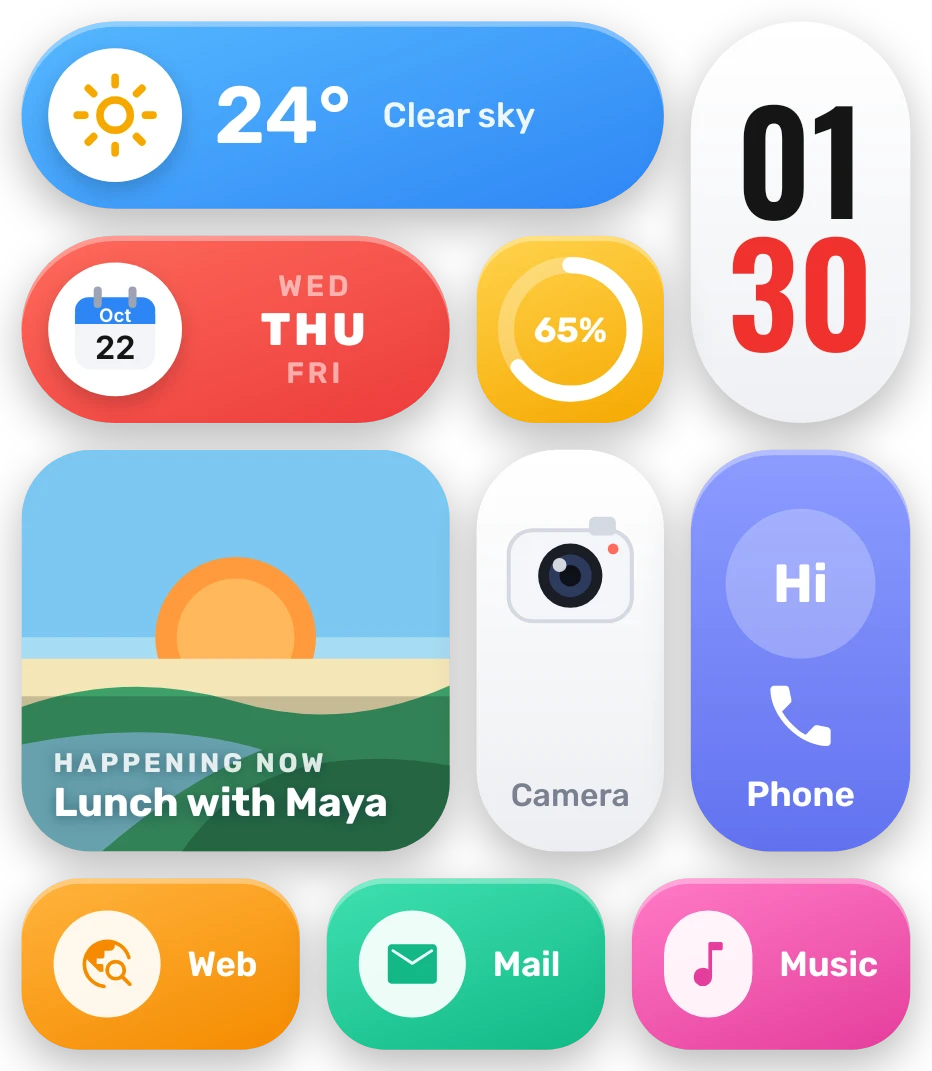
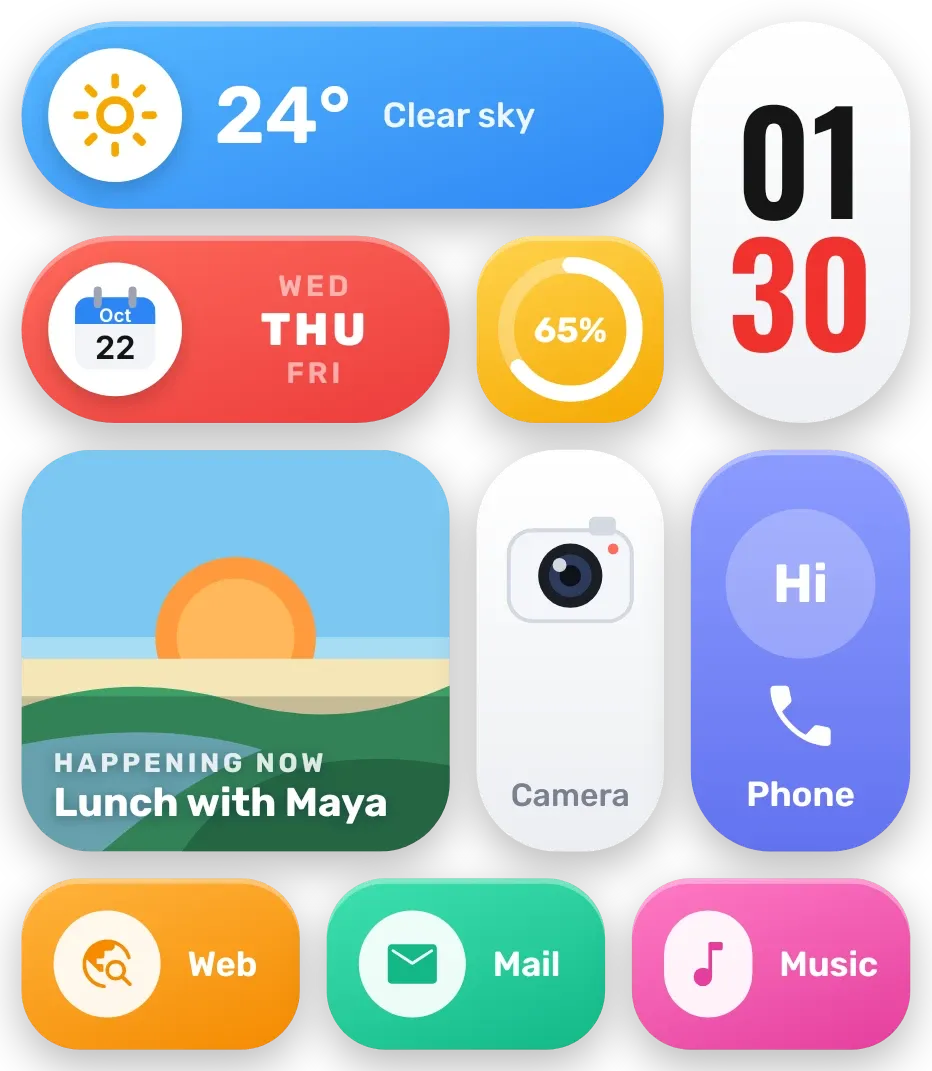
Sherbet Grid is a set of rounded pills and tiles in bright colours. A blue pill shows the weather, a red pill shows the date, a yellow tile holds the battery ring, and a tall white pill shows the time with red minutes. A sunset scene shows your next calendar event, with Camera, Phone, Web, Mail and Music tiles below.
- Size
- 4x4 cells
- Kit
- Bento
- Shows
- Battery, Calendar, Time and date, Weather
- Look
- Colourful, gradient and bold shapes
- Colours
- Blue and white, light background
- Good for
- Daily routine, work meetings and everyday use
- Android
- 10 or newer
- Needs
- READ_CALENDAR (optional)
- Price
- Free
Kiwi is in beta and is not on Google Play yet. Join to request an invitation.
- battery
- bento
- big-numbers
- blue
- bold
- bright
- calendar
- candy
- clock
- colourful
- date
- digital-clock
- gradient
- green
- next-event
- orange
- pink
- playful
- purple
- red
- rounded
- sunset
- tiles
- weather
- yellow
What changes
- The blue pill shows a weather icon, the temperature in degrees and the condition in words. The icon follows the weather, and tapping the pill refreshes it.
- The tall pill shows the hour in black over the minutes in red. The red pill shows the month and day on a calendar icon, with yesterday, today and tomorrow listed by weekday and today in bold.
- The yellow ring fills to the current battery level, with the percentage in its centre. Tapping it opens battery details.
- The scene tile shows a sun setting over green hills. When it is night, it changes to a moon and stars over dark hills.
- The scene tile names your next event, with how long until it starts, or "happening now". With no event it says "Nothing planned". Without calendar access it says "Tap to allow in Kiwi".
- The Camera, Phone, Web, Mail and Music tiles each open the matching app. The clock opens the clock, and the date pill and the scene tile open the calendar.
Data and settings
- Reads the battery level for the ring and its percentage.
- Reads the time for the clock and the date for the calendar pill.
- Reads the weather for your chosen city: temperature, condition and icon.
- Reads your calendar for the next event. This needs calendar permission, which is optional.
- City: the place the weather is shown for.
Set it up
- Open Sherbet Grid in Kiwi, either from its kit or from this page.
- Tap Use.
- Confirm your launcher's prompt to place it on the home screen.
- Set a city so the weather pill has a place to show. Until then it says "No city set".
- To see your next event, allow calendar access when asked. Without it the scene tile asks you to allow it in Kiwi.
Permissions
- Calendar (optional: it works without it). Your next events come from the calendar on this phone. Only the times and titles of what's coming up; never sent anywhere, and never changed.
Good to know
- The weather needs an internet connection and a city. Without them the pill shows a cloud with a line through it and "No city set" in place of the temperature.
- Events appear only after calendar permission is given. Until then the scene tile shows "Tap to allow in Kiwi".
- The scene tile shows only your next event, and a long title is cut after two lines.
Widgets like Sherbet Grid
 Jelly GlanceGlass
 Bench BeatPlayful
 Sapphire JadeOne UI
 Scrap SundayPlayful