Window Seat
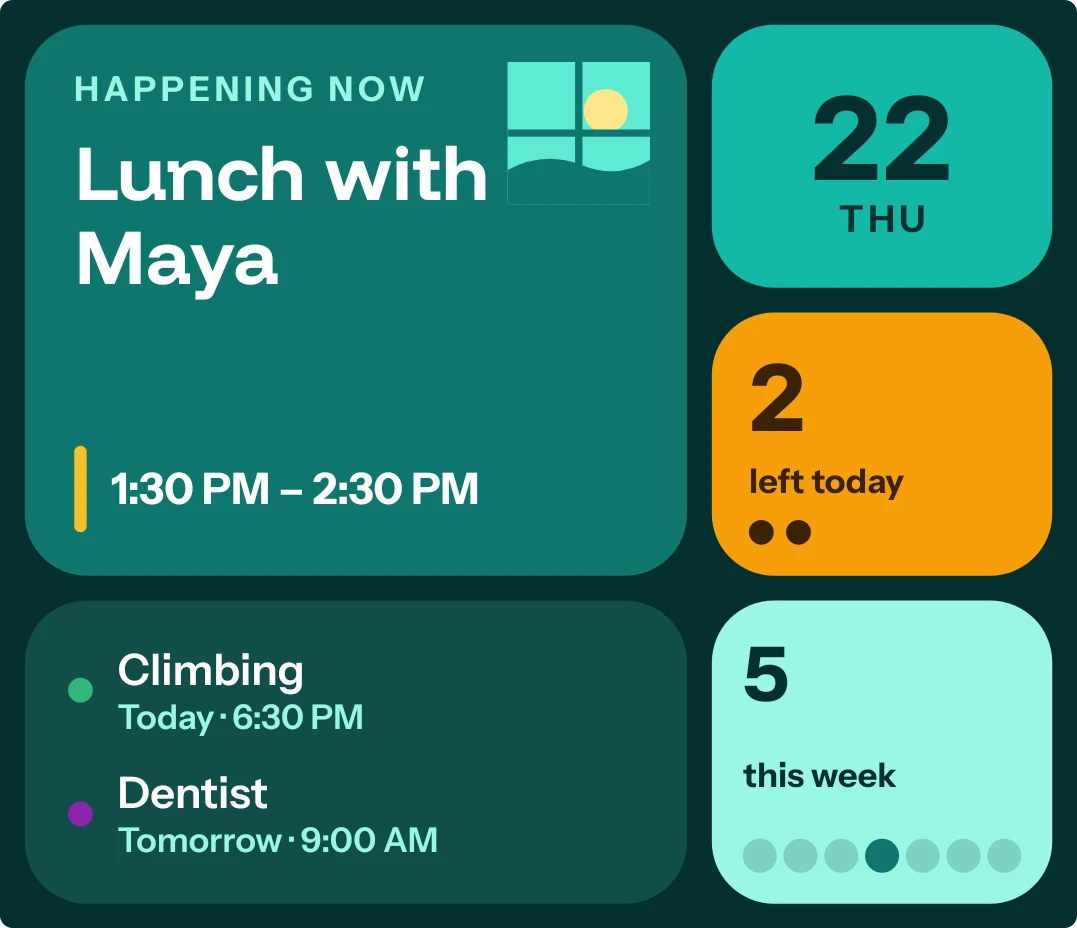
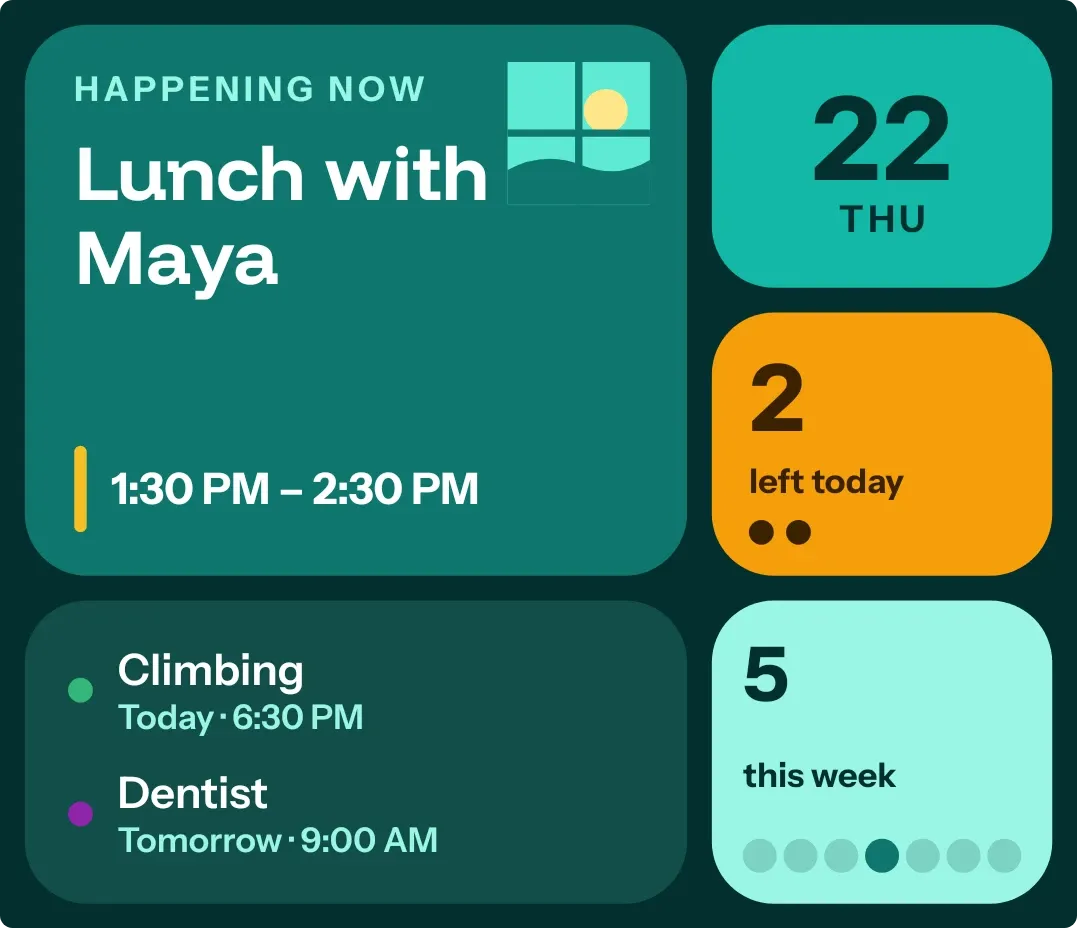
Window Seat is a teal set of tiles for your calendar. A large tile shows your next event with its time and how soon it starts, beside a small window that shows a sun by day and a moon at night. Other tiles show today's date, events left today, the two events after the next, and a count for the week.
- Size
- 4x3 cells
- Kit
- Bento
- Shows
- Calendar, Time and date
- Look
- Bento, bold shapes and colourful
- Colours
- Teal and black, dark background
- Good for
- Work, meetings and daily planning
- Android
- 10 or newer
- Needs
- READ_CALENDAR
- Price
- Free
Kiwi is in beta and is not on Google Play yet. Join to request an invitation.
- agenda
- at-a-glance
- bento
- big-numbers
- bold
- calendar
- dark
- date
- day-of-week
- dots
- event
- moon
- next-event
- orange
- rounded
- sun
- teal
- time-of-day
- typographic
- week
What changes
- The large tile reads Next with the day, then the event title, its start and end time, and a countdown such as in 25 m. An all-day event shows All day in place of the times.
- While an event is in progress, the large tile reads Happening now and the countdown is dropped.
- The small window shows a sun by day and switches to a crescent moon at night.
- The orange tile counts events left today and shows one dot for each, up to five.
- The lower list shows the two events after the next, each with its calendar colour, title, day and time. With fewer than two, it reads Nothing after that this week.
- The week tile counts upcoming events and shows seven dots, with today's dot darker. With an empty calendar, the large tile reads A clear week ahead.
Data and settings
- Reads your calendar events: the next event, the events after it, how many are left today and how many are coming this week.
- Reads the time, to choose the sun or moon, work out countdowns and mark today in the week.
- Reads today's date for the day number and weekday.
Set it up
- Open the widget in Kiwi, from its kit or from this page.
- Tap Use.
- Confirm your launcher's prompt to place it.
- Allow calendar access when asked. If the large tile reads Bring your day in, tap it to allow access.
Permissions
- Calendar. Your next events come from the calendar on this phone. Only the times and titles of what's coming up; never sent anywhere, and never changed.
Good to know
- It needs calendar access before it can show events. Without it, the large tile asks you to allow access.
- The list shows only the two events after the next one, and the dots under the orange count stop at five.
- Long event titles are shortened to fit their tile.
Widgets like Window Seat
 Tinted AgendaiOS & macOS
 Tint AgendaiOS & macOS
 GapletMaterial Expressive
 Cheshire CountNothing