Plane Paradox
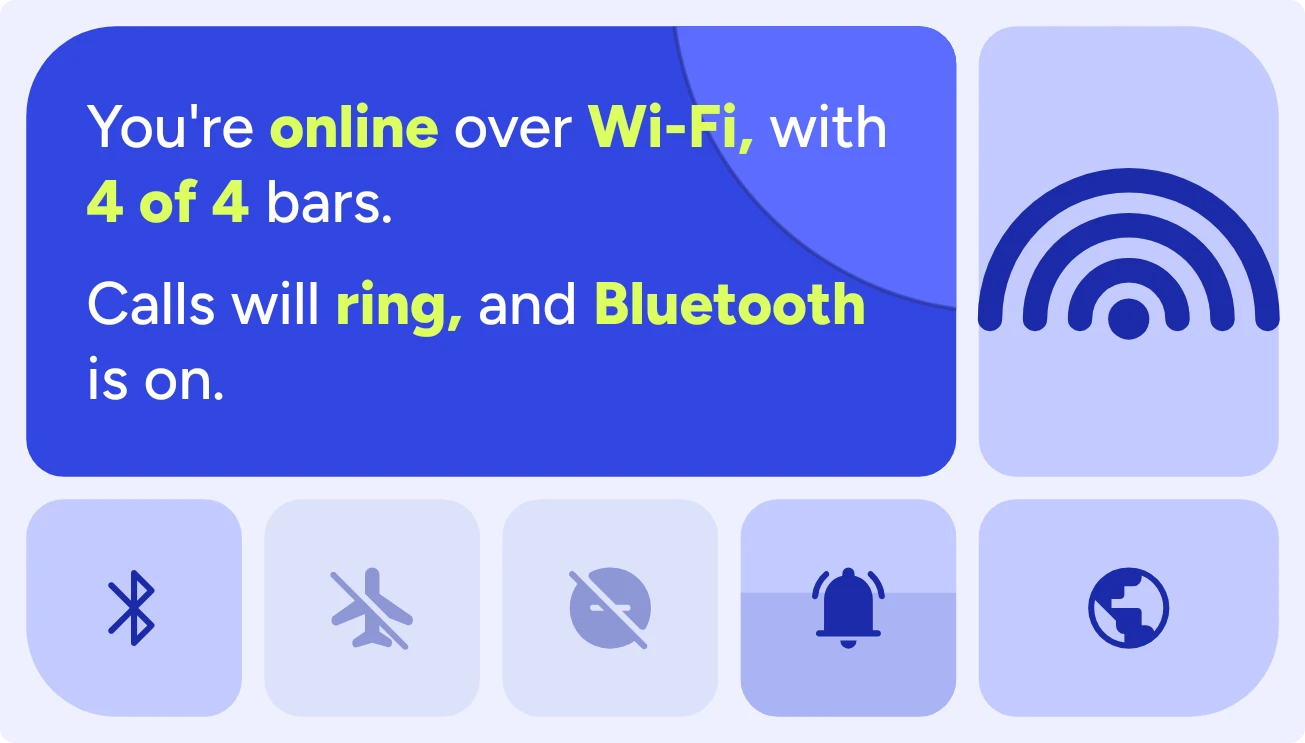
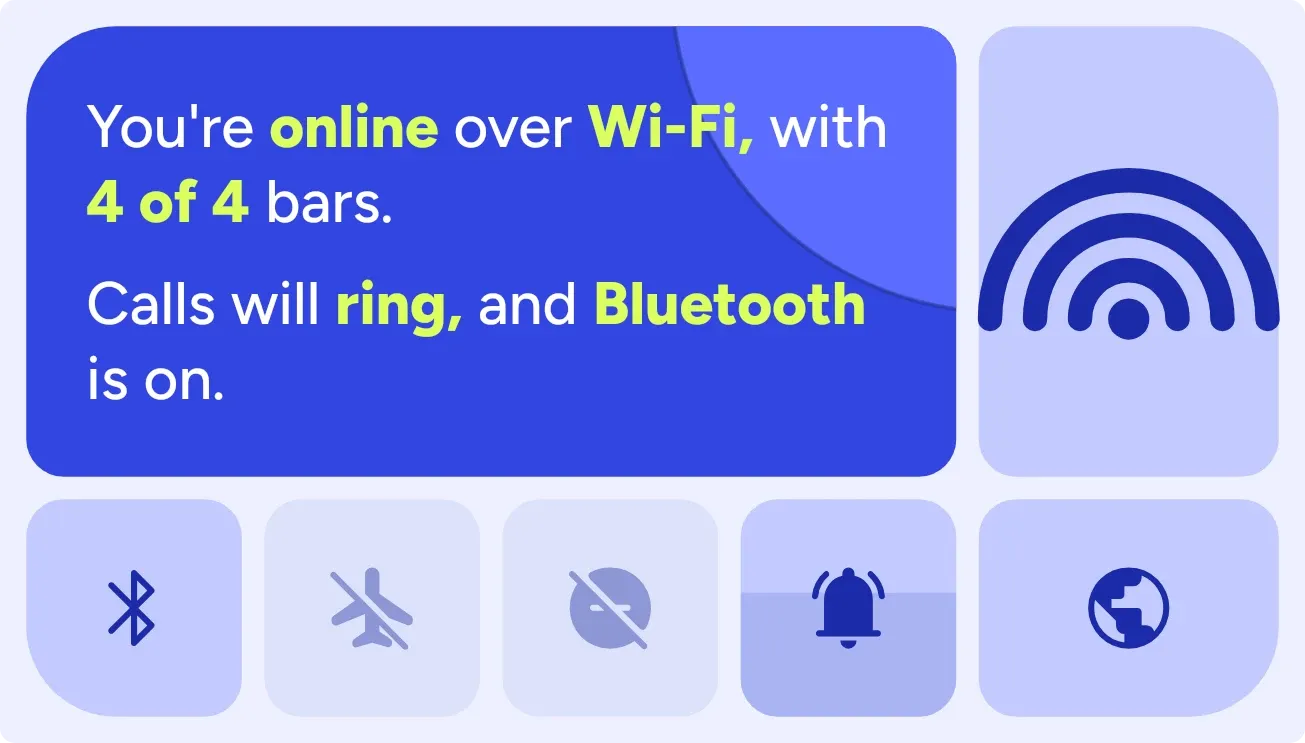
Plane Paradox is a set of blue tiles built around a two-line sentence about your phone. The sentence covers flight mode and the connection, then calls and Bluetooth, with key words in lime. Below it sit toggle tiles for Bluetooth, flight mode, Do Not Disturb and ringer, beside a Wi-Fi bars icon and a globe.
- Size
- 4x2 cells
- Kit
- Bento
- Shows
- Phone controls
- Look
- Bento, bold shapes and typographic
- Colours
- Blue, light background
- Looks like
- Pixel widgets
- Good for
- Travel, flights and commuting
- Android
- 10 or newer
- Needs
- No additional permissions
- Price
- Free
Kiwi is in beta and is not on Google Play yet. Join to request an invitation.
- airplane-mode
- bento
- blue
- bluetooth
- bright
- colourful
- connection
- controls
- expressive
- lime
- playful
- quick-settings
- rounded
- sound
- status
- toggles
- wifi
What changes
- The first line says whether flight mode is on and whether you're online. It reads online over Wi-Fi with a bar count, online on mobile data, or offline right now.
- With flight mode on, the first line says you're offline, or that you're online anyway if a connection is still up. The flight tile turns lime.
- The second line says Do Not Disturb is on, or that calls will ring, vibrate or are silent. The Do Not Disturb tile turns lilac when on.
- The second line ends with Bluetooth on or off. When audio is playing to a Bluetooth device, it names that device instead, and the Bluetooth tile shows headphones.
- The Wi-Fi icon lights one to three arcs plus the dot as signal grows, and all four when strong. When not connected it is pale, with a slash if Wi-Fi is off.
- The bell tile fills from the bottom to match ring volume and shows a vibrate icon in vibrate mode. It changes to a crossed-out bell when silent. The globe shows a crossed-out version when offline.
Data and settings
- Reads whether flight mode is on.
- Reads whether the phone is online and whether the connection is Wi-Fi or mobile data.
- Reads Wi-Fi on or off, connected or not, and signal strength out of four bars.
- Reads Do Not Disturb, the ringer mode (ring, vibrate or silent) and the ring volume.
- Reads whether Bluetooth is on and the name of a Bluetooth audio device while it plays.
Set it up
- Open Plane Paradox in Kiwi, either from its kit or from this page.
- Tap Use.
- Confirm your launcher's prompt to place it on your home screen.
Good to know
- The bar count is spoken only on Wi-Fi. On mobile data the sentence says so and gives no bar count.
- A Bluetooth device's name appears only while audio is playing to it. Otherwise the line says only whether Bluetooth is on or off.
- The Wi-Fi icon shows signal in four steps, so small changes in strength may not show.
- The ring volume fill shows only while the ringer is not silent.
Widgets like Plane Paradox
 Silk SwitchboardGlass
 Pocket DialMaterial Expressive
 Beacon HushMaterial Expressive
 Ghost BuzzMaterial Expressive