Ringer Rail
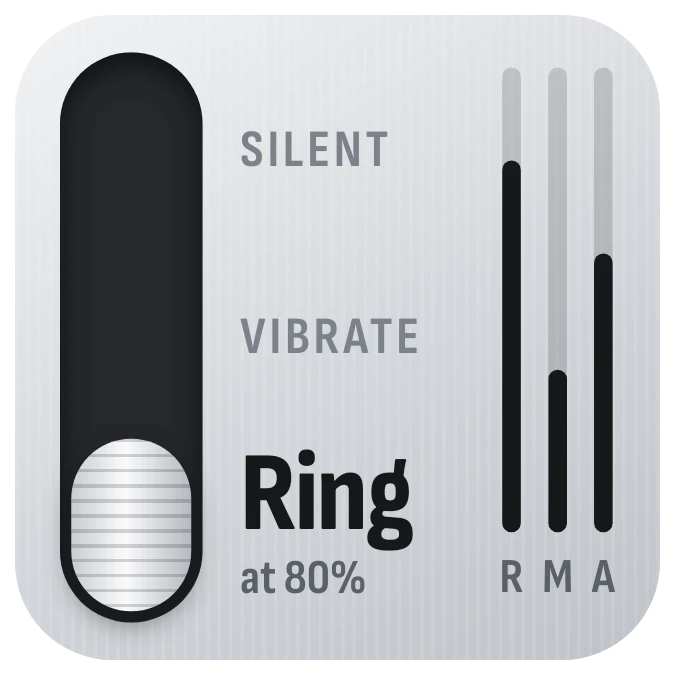
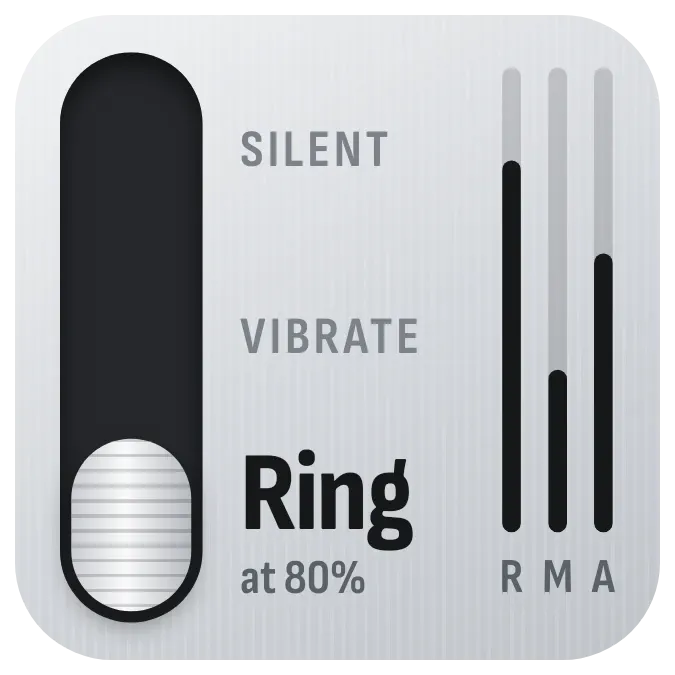
Ringer Rail is a brushed-metal panel with a dark vertical slot on the left. A white ridged knob sits in the slot beside Silent, Vibrate or Ring, whichever matches your phone's sound mode. On the right, three thin bars marked R, M and A show how high the ring, media and alarm volumes are set.
- Size
- 2x2 cells
- Kit
- Instruments
- Shows
- Phone controls
- Look
- Hardware, monochrome and minimal
- Colours
- Grey and white, light background
- Good for
- Meetings, bedtime and work
- Android
- 10 or newer
- Needs
- No additional permissions
- Price
- Free
Kiwi is in beta and is not on Google Play yet. Join to request an invitation.
- at-a-glance
- black
- brushed-metal
- fader
- grey
- hardware
- knob
- minimal
- monochrome
- progress-bar
- ring
- ringer
- silent-mode
- slider
- sound
- sound-mode
- tactile
- tactile-hardware
- vibrate
- volume
- volume-control
What changes
- The knob moves to Silent, Vibrate or Ring to match the phone's sound mode. The current mode is in large bold type and the other two are small grey capitals.
- In Silent mode the knob carries a small orange stripe.
- In Ring mode with Do not disturb off, a grey note under the label gives the ring volume, such as at 80%.
- When Do not disturb is on, an orange + DND note appears under the current mode. In Ring mode it replaces the volume percentage.
- The R, M and A bars fill from the bottom, and each rises or falls with its volume. When headphones are connected, the M changes to an orange H.
- Tapping the widget brings up the volume controls.
Data and settings
- Reads the phone's sound mode: Silent, Vibrate or Ring.
- Reads the ring, media and alarm volume levels for the R, M and A bars.
- Reads whether Do not disturb is on.
- Reads whether headphones are connected.
Set it up
- Open Ringer Rail in Kiwi, either from its kit or from this page.
- Tap Use.
- Confirm your launcher's prompt to place the widget on your home screen.
Good to know
- The bars cover only ring, media and alarm volume. Other volumes, such as calls or notifications, are not shown.
- The ring percentage appears only in Ring mode while Do not disturb is off.
- The H marker shows only while the phone reports headphones as connected.
Widgets like Ringer Rail
 Ruby LoopNothing
 Spark RailNothing
 ChimeburstNothing
 Pocket DialMaterial Expressive