Ruby Loop
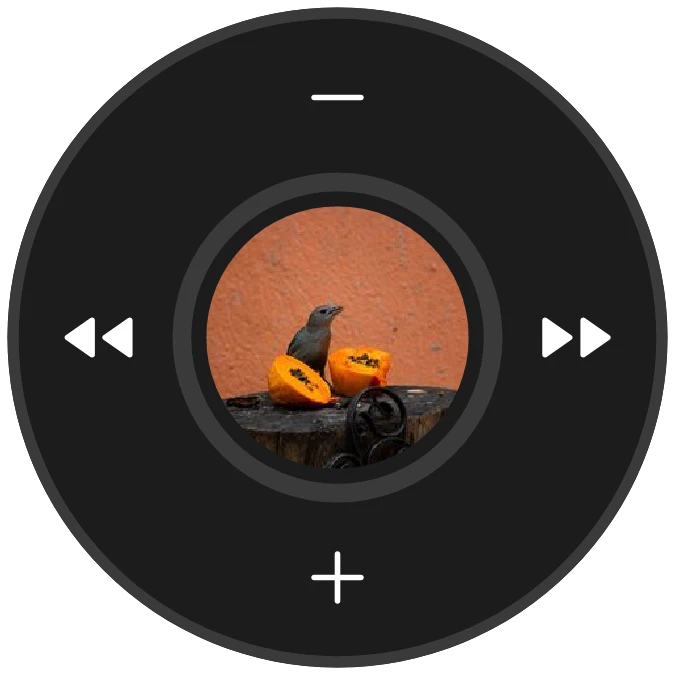
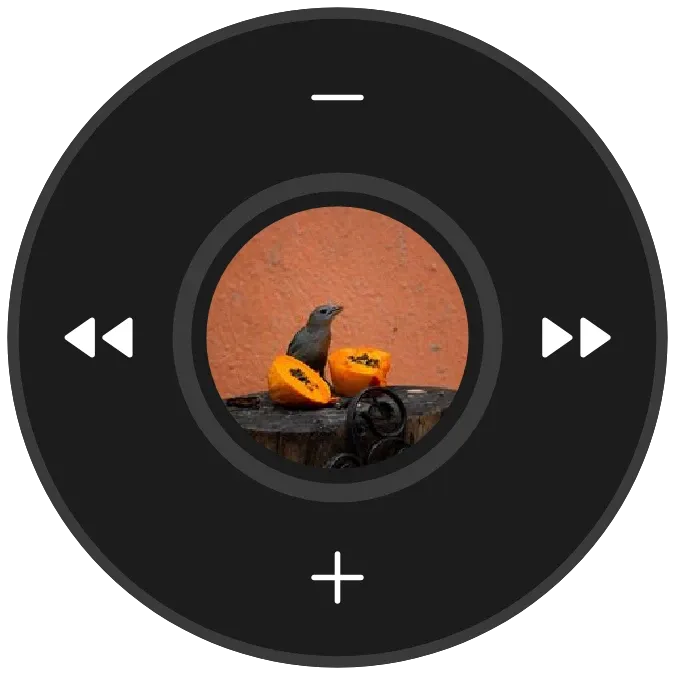
Ruby Loop is a dark round music player. The cover of the current track sits in the middle as a red button, with a red arc around it that traces how far the track has played. Volume keys sit at the top and bottom of the edge, and rewind and fast forward keys sit at the left and right.
- Size
- 2x2 cells
- Kit
- Nothing
- Shows
- Now playing
- Look
- Hardware, minimal and bold shapes
- Colours
- Black, red and grey, dark background
- Looks like
- Nothing widgets
- Good for
- Commute, gym and study
- Android
- 10 or newer
- Needs
- Notification access
- Price
- Free
Kiwi is in beta and is not on Google Play yet. Join to request an invitation.
- black
- bold
- controls
- dark
- dial
- knob
- media-controls
- minimal
- music
- music-controls
- music-player
- nothing
- now-playing
- pause
- playback
- player
- progress
- progress-bar
- red
- ring
- round
- shortcuts
- skip
- tactile
- volume-control
What changes
- While music plays, the red arc fills clockwise to match playback progress, and the middle shows the track's cover.
- Tapping the middle button toggles between playing and paused.
- If the track has no cover, the middle is a plain red button with a pause icon while playing and a play icon while paused.
- The minus key at the top lowers the volume, and the plus key at the bottom raises it.
- The rewind key on the left goes to the previous track, and the fast forward key on the right goes to the next one.
- With nothing playing, it shows the word Silence and a line saying to tap to open your player. Tapping it opens your music player.
Data and settings
- Reads the music that is playing: the cover, how far along the track is, and whether it is playing or paused.
Set it up
- Open Ruby Loop in Kiwi, either from its kit or from this page.
- Tap Use.
- Confirm your launcher's prompt to place the widget.
- Grant Notification access so the widget can read what is playing. Until then it shows Music and a line saying to allow access in Kiwi.
Permissions
- Notification access, to see what's playing. Android keeps what your music apps are playing behind notification access. Only the song, artist, cover and where it's up to; never what your notifications say.
Good to know
- It needs Notification access before it can show or control playback. Without it, the widget only shows a prompt to allow access.
- The cover and progress arc appear only when your music player reports them.
- It shows playback only while a player is active. Otherwise it shows Silence.
Widgets like Ruby Loop
 Glint SpinInstruments
 Scribble DeckTactile Hardware
 Ringer RailInstruments
 Pocket DialMaterial Expressive



