Scribble Deck
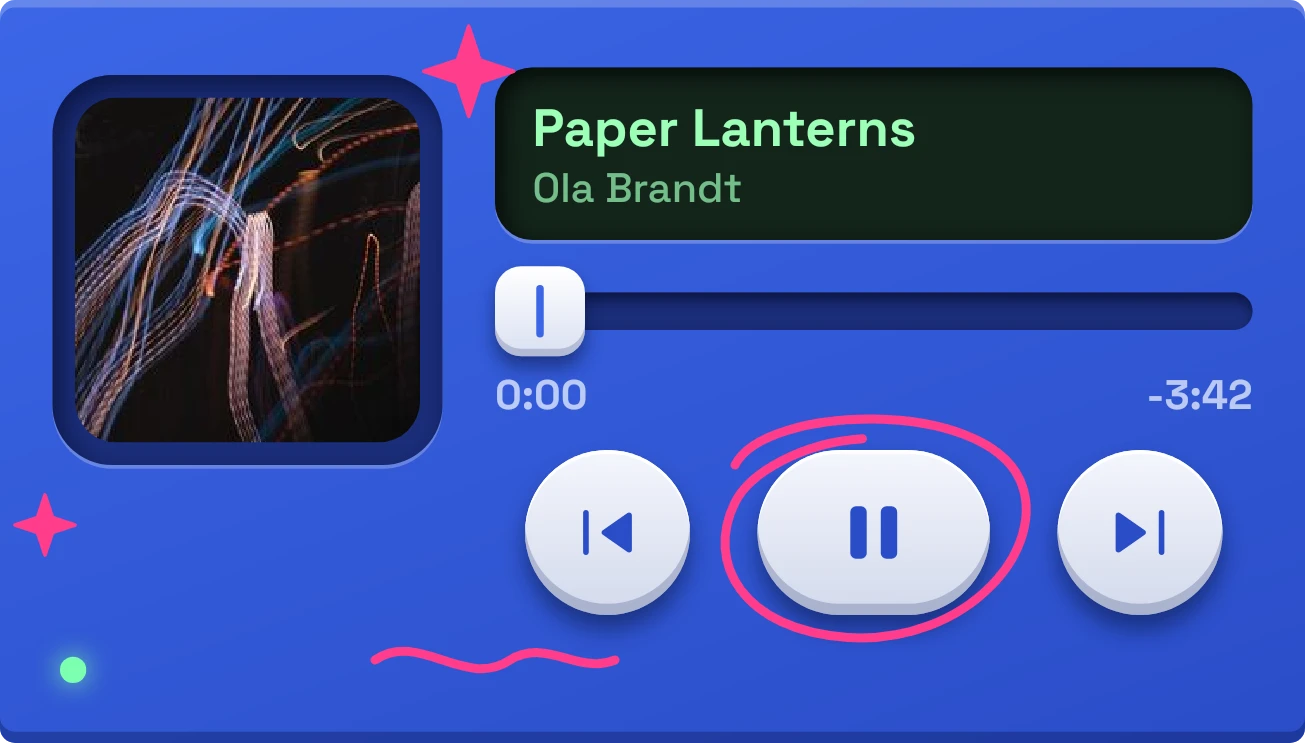
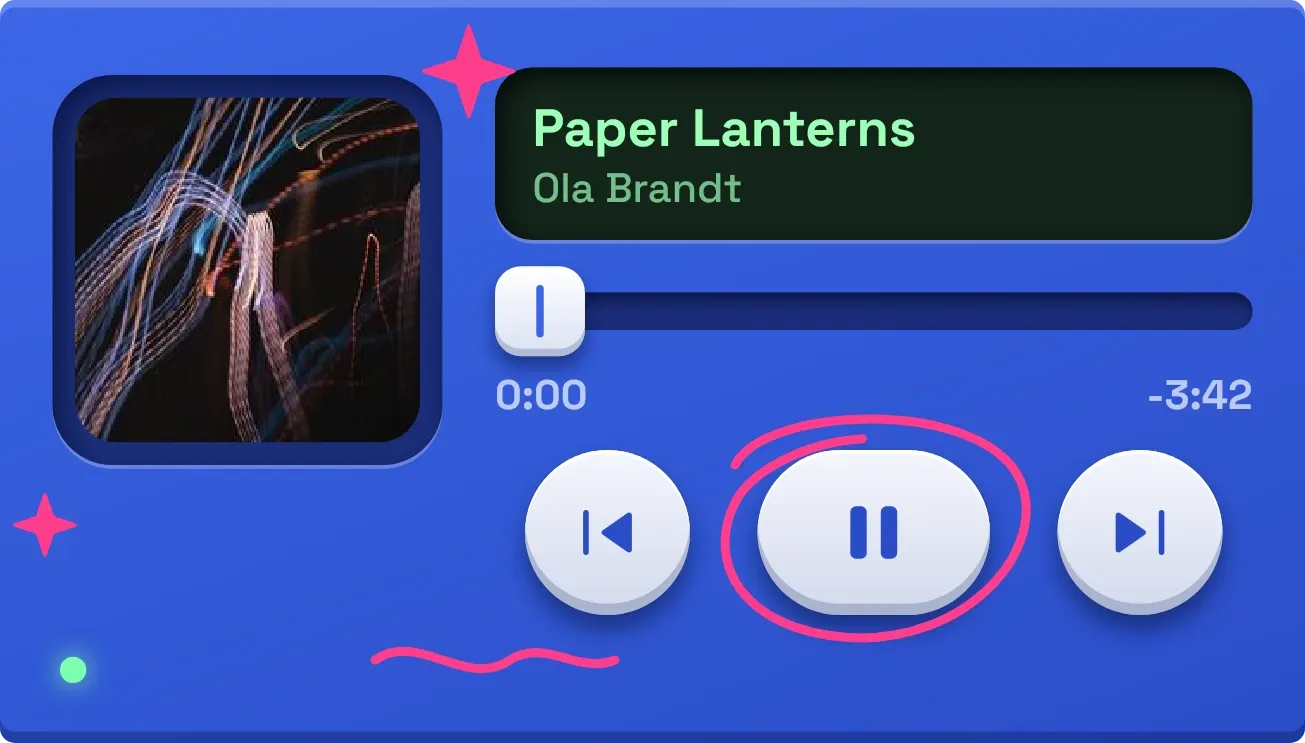
Scribble Deck is a matte cobalt media player with soft, raised keys. A dark green screen shows the track title and artist, with cover art or a music note in a recessed square on the left. Below it sit a sliding fader, elapsed and remaining times, and previous, play or pause, and next keys. A pink marker circle is drawn around the centre key, with small sparkles and a squiggle.
- Size
- 4x2 cells
- Kit
- Tactile Hardware
- Shows
- Now playing
- Look
- Hardware, soft UI and 3D
- Colours
- Blue, dark background
- Good for
- Commute, gym and study
- Android
- 10 or newer
- Needs
- No additional permissions
- Price
- Free
Kiwi is in beta and is not on Google Play yet. Join to request an invitation.
- blue
- bright
- cobalt-blue
- dark-display
- doodle
- hand-drawn
- led
- media-controls
- mint-green
- music
- music-controls
- music-player
- now-playing
- pause
- pill
- pink
- playback
- player
- playful
- progress-bar
- rounded
- slider
- soft-ui
- tactile
- tactile-hardware
What changes
- While music plays, the screen shows the title and artist, the centre key shows pause, and a small light in the lower left glows green.
- The fader cap slides along its track as the song goes on. Elapsed time sits on the left and time remaining, with a minus sign, on the right.
- When paused, the centre key shows play and the light goes dark.
- The square on the left shows the track's cover art when it has one. Otherwise it shows a music note.
- With nothing playing, the screen reads NOTHING PLAYING, the fader rests at the start, and the times are hidden. Tapping the screen opens your player.
- The previous, play or pause, and next keys control playback. Tapping the cover or the track screen opens your player.
Data and settings
- Reads the current track from your music player: title, artist, cover art, playback position, time remaining, and whether it is playing.
Set it up
- Open Scribble Deck in Kiwi, either from its kit or from this page.
- Tap Use.
- Confirm your launcher's prompt to place it on your home screen.
Good to know
- Without music access, the screen reads ALLOW MUSIC ACCESS and shows no track. Tapping it opens Kiwi.
- It only shows what your music player reports, so a track with no cover art shows a music note instead.
- The fader and times appear only while a track is loaded.
Widgets like Scribble Deck
 Glint SpinInstruments
 Ruby LoopNothing
 Pocket DialMaterial Expressive
 Rail BloomMaterial Expressive