Sticker Sundae
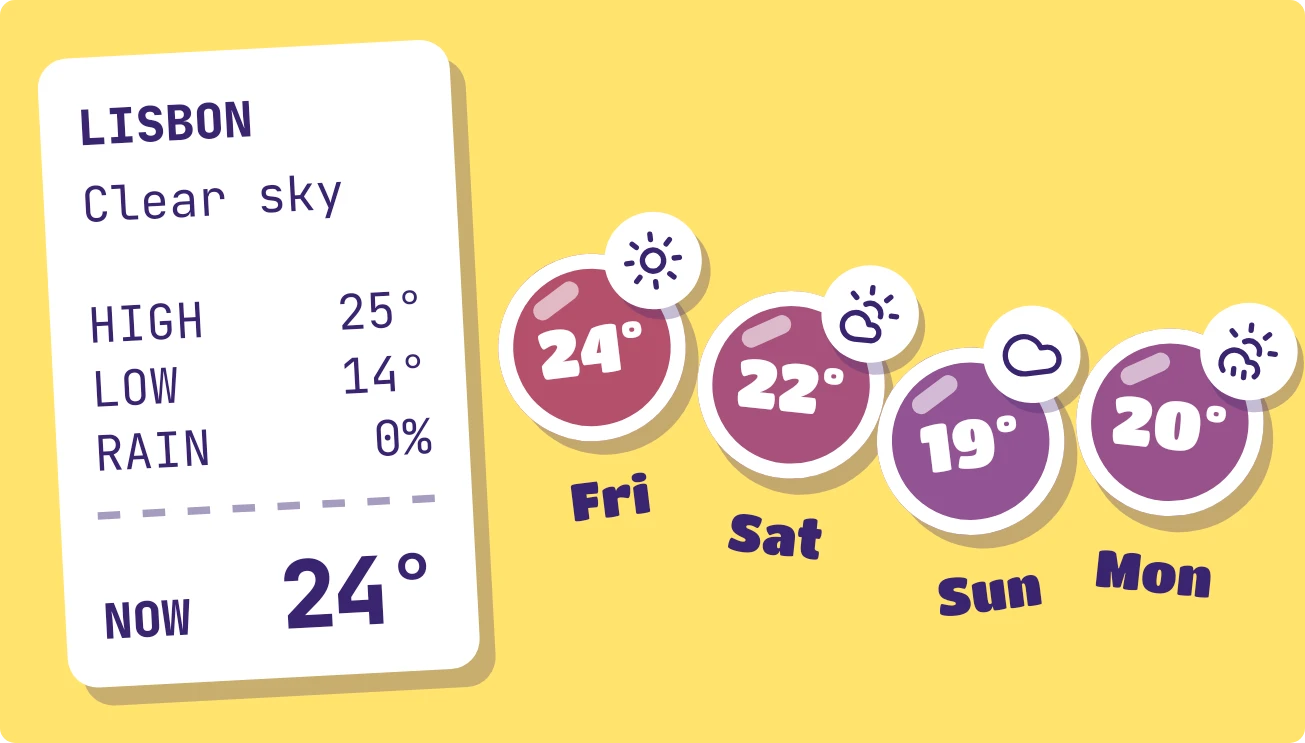
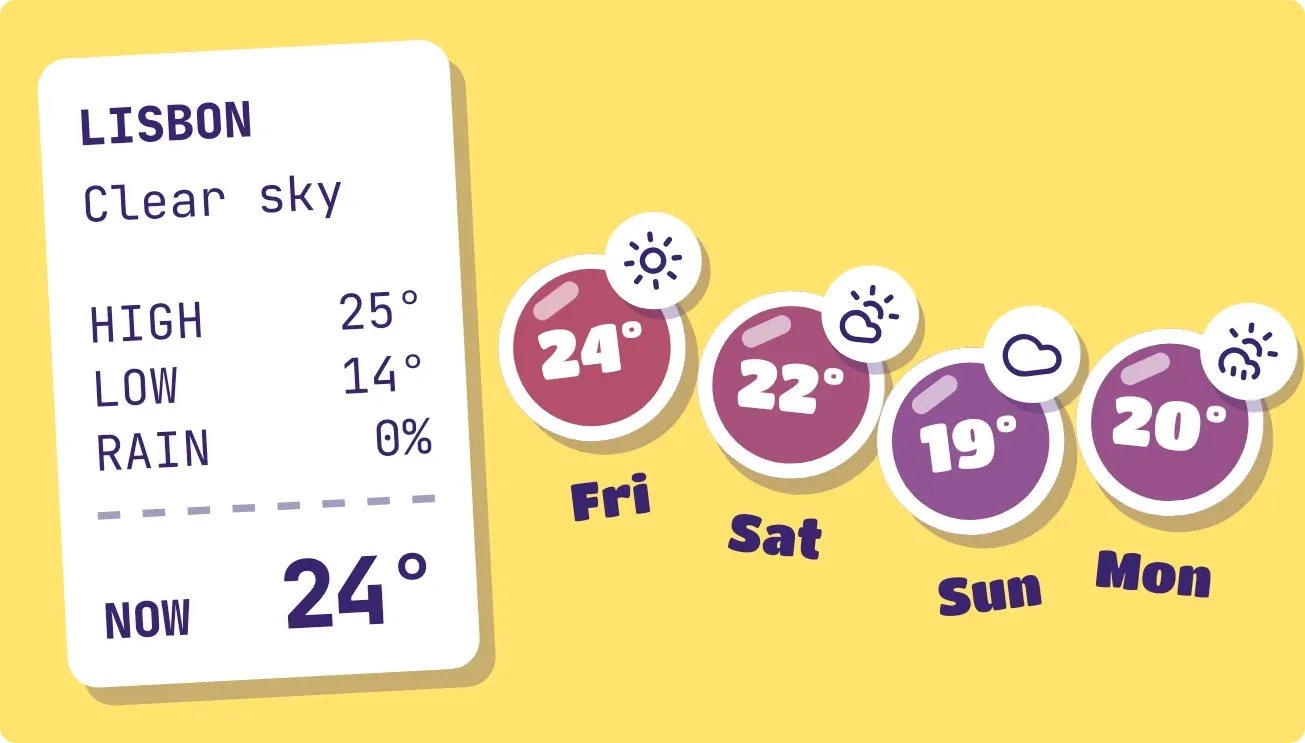
Sticker Sundae puts a white paper receipt on the left with the city, current conditions, today's high, low and chance of rain, and the temperature right now. Beside it, four round stickers show the coming days' highs on a yellow background, each with a small weather icon and day name.
- Size
- 4x2 cells
- Kit
- Playful
- Shows
- Weather
- Look
- Stickers, colourful and bold shapes
- Colours
- Yellow and white, light background
- Good for
- Morning check, planning the week and travel
- Android
- 10 or newer
- Needs
- No additional permissions
- Price
- Free
Kiwi is in beta and is not on Google Play yet. Join to request an invitation.
- blue
- bright
- cloudy-sky
- colourful
- die-cut
- forecast
- paper
- playful
- purple
- receipt
- red
- rounded
- sticker
- stickers
- temperature
- warm
- weather
- weather-now
- week
- yellow
What changes
- Each sticker shows a day's high, a weather icon and a short day name. Colour runs from blue for cool highs to red-orange for warm ones, and the stickers tilt in alternating directions.
- A sticker sits higher when that day's high is warmer than today's high and lower when it is cooler. The shift is limited, so very large gaps stop moving it further.
- The receipt lists the city name, the condition in up to two lines, HIGH, LOW and RAIN as a percentage, then NOW with the current temperature in larger type.
- Temperatures follow the unit of the weather data, Celsius or Fahrenheit, and the sticker colours are scaled to match that unit.
- Tapping the widget refreshes the weather.
- With no city set, the receipt reads WEATHER with a message such as No city set and the line Pick a city in Kiwi. A pink sticker reads Your week sticks here. Tapping the receipt opens Kiwi.
Data and settings
- Reads the weather for your chosen city: current temperature, condition, today's high and low, and chance of rain.
- Reads the daily forecast for the next four days: each day's high, its weather icon and its short day name.
- The city is the one thing you set. The widget shows the weather for it.
Set it up
- Open the widget in Kiwi, either from its kit or from this page.
- Pick a city in Kiwi if the receipt says No city set, so there is weather to show.
- Tap Use.
- Confirm your launcher's prompt to place it on your home screen.
Good to know
- It needs an internet connection to get the weather, and it shows no forecast until a city is set.
- Only four forecast days appear as stickers, and each sticker shows that day's high, not its low.
- City names are cut off after 10 characters, so a long name may not show in full on the receipt.
- The condition text on the receipt has room for two lines, so a longer description is shortened.
Widgets like Sticker Sundae
 Jelly GlanceGlass
 Sherbet GridBento
 Silk SwitchboardGlass