Nap Tank
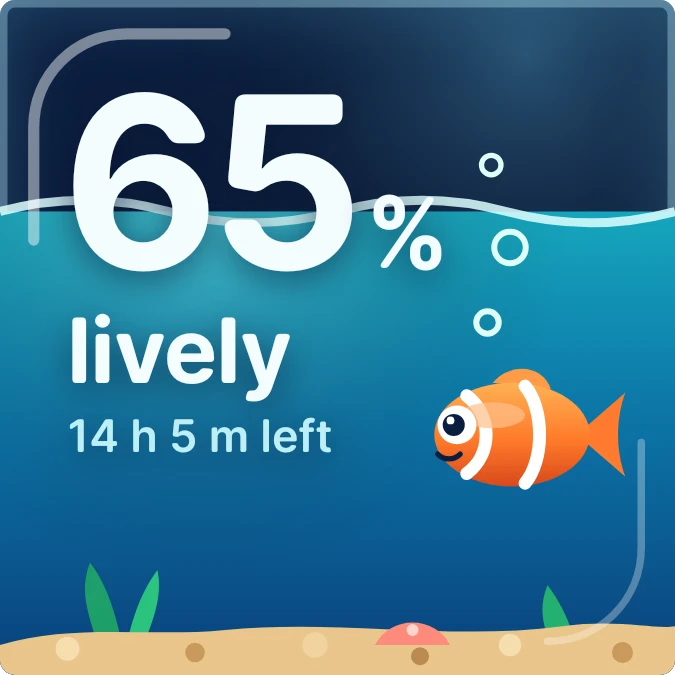
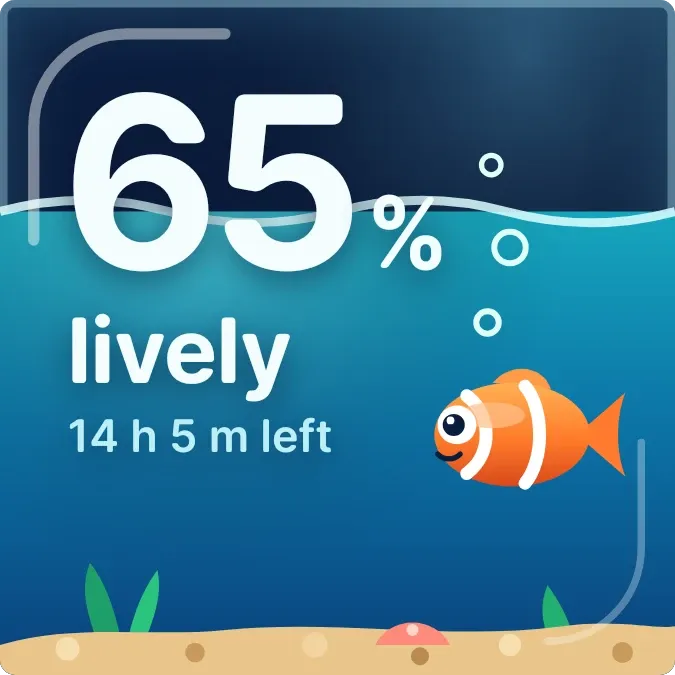
Nap Tank shows your battery as a fish tank. A large percentage sits at the top left with a mood word and a short note beneath it. A clownfish swims in water that sinks as the charge falls, above sand, green plants and a small shell. Its eyes close a little more as the battery drops.
- Size
- 2x2 cells
- Kit
- Glass
- Shows
- Battery
- Look
- Cartoon, gradient and colourful
- Colours
- Blue and teal, dark background
- Good for
- Battery check, bedtime and charging
- Android
- 10 or newer
- Needs
- No additional permissions
- Price
- Pro
Kiwi is in beta and is not on Google Play yet. Join to request an invitation.
- aquarium
- battery
- battery-time-left
- big-numbers
- blue
- calm
- clownfish
- creature
- cute
- dark
- dreamy
- drowsy
- fish
- mascot
- ocean
- orange
- playful
- progress
- sleepy
- underwater
- water
- white
What changes
- The water level and the fish's height follow the battery percentage, so both sink as the charge falls.
- On battery at 60 percent or more, the word is lively. The fish has wide eyes and a few bubbles rise beside it.
- On battery below 60 percent, the fish gets a half-closed eyelid and the word is drowsy. Below 35 percent it reads sleepy.
- When the battery is low, the water turns red and the fish lies tilted near the sand with closed eyes. Z marks rise and the word is asleep.
- While charging, the water turns green-teal and the word is awake. The fish tilts upward with wide eyes, and bubbles rise with a small lightning bolt.
- The note reads full in followed by a time while charging, or the time left on battery. Without an estimate it shows plugged in, on battery, or plug in to wake it when low.
Data and settings
- Reads the battery percentage and shows it as the large number.
- Reads whether the phone is charging and whether the battery is low.
- Reads the estimated time until full while charging and the estimated time left on battery.
Set it up
- Open the Nap Tank widget in Kiwi, either from its kit or from this page.
- Tap Use.
- Confirm your launcher's prompt to place it on your home screen.
Good to know
- The time left and time to full notes appear only when the phone provides an estimate. Otherwise the note shows a short line such as on battery or plugged in.
- The mood words and fish expressions come from the battery level and charging state, so they show nothing about other phone activity.
Widgets like Nap Tank
 Tonic JarOne UI
 Stacked ChargePlayful
 Shape ChargeMaterial Expressive
 Volt MosaicMaterial Expressive