Tonic Jar
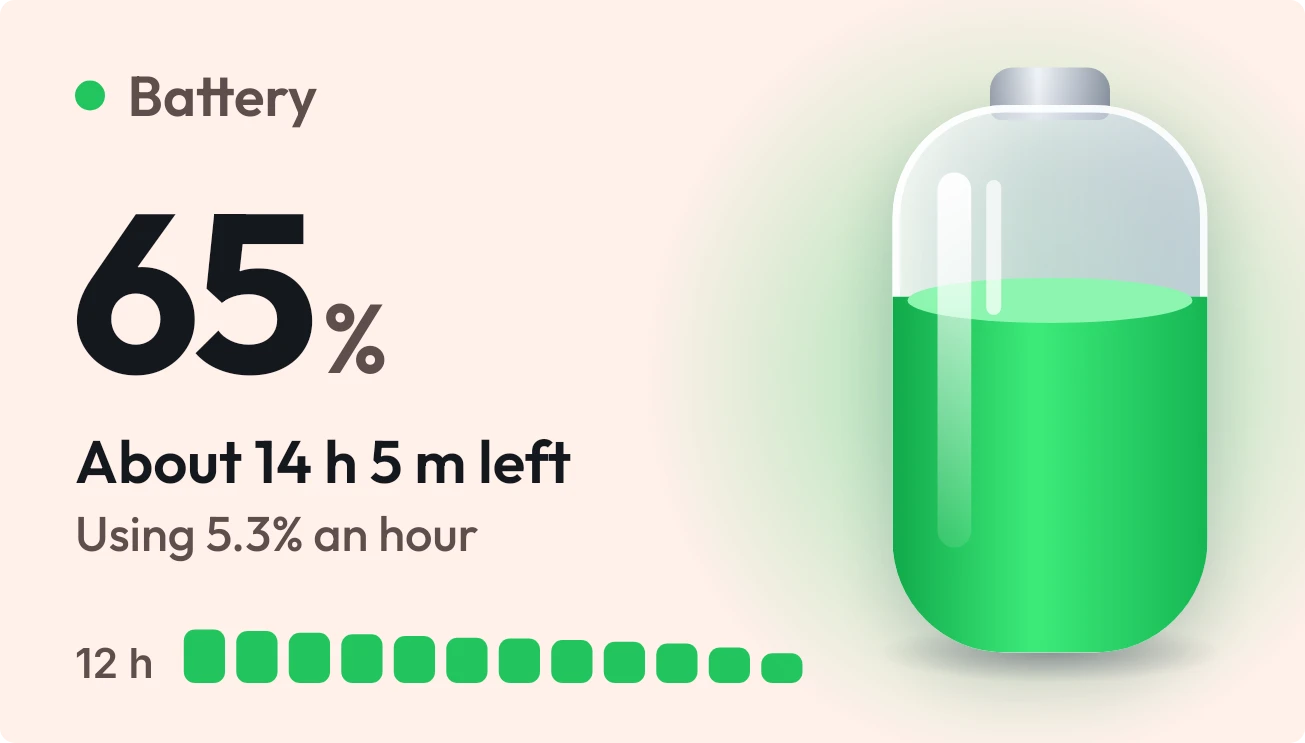
Tonic Jar shows your battery as a glass jar of green liquid that fills to your charge level. A large percentage sits beside it, with the time left and your hourly use underneath. A strip of bars along the bottom covers the last 12 hours.
- Size
- 4x2 cells
- Kit
- One UI
- Shows
- Battery
- Look
- 3D, glass and soft UI
- Colours
- Orange, light background
- Looks like
- Samsung widgets
- Good for
- All-day battery check, travel days and charging overnight
- Android
- 10 or newer
- Needs
- No additional permissions
- Price
- Free
Kiwi is in beta and is not on Google Play yet. Join to request an invitation.
- 4x2
- battery
- battery-detail
- battery-time-left
- big-numbers
- bright
- cream
- glass
- green
- liquid-glass
- minimal
- one-ui
- progress
- rounded
- usage-history
What changes
- The liquid in the jar rises and falls with the charge, and the percentage changes with it.
- When the battery is low, the liquid, the glow and the dot beside the title turn red.
- While charging, the liquid and glow turn blue, a lightning bolt appears on the jar and small bubbles rise. It shows the time the battery will be full and the charging power in watts.
- When the battery is full, it says Fully charged with the line Unplug whenever you like.
- On battery power it shows about how much time is left and how many percent per hour you are using. Until it has an estimate, it shows Measuring your use and says time left will appear soon.
- In the 12-hour strip, each bar's height is the charge level: green normally, red at 20% or below, blue while charging. A short grey dash marks an hour with no reading.
Data and settings
- Reads your battery charge level and whether the phone is charging.
- Reads the estimated time left and your hourly battery use while on battery power.
- Reads the estimated full time and charging power in watts while charging.
- Reads the last 12 hours of battery history for the usage strip.
Set it up
- Open the widget in Kiwi, either from its kit or from this page.
- Tap Use.
- Confirm your launcher's prompt to place it on your home screen.
Good to know
- The time left and hourly use need an estimate first, so it shows Measuring your use for a while.
- The full time and charging watts appear only while the phone is charging.
- Hours with no recorded battery reading show as short grey dashes in the 12-hour strip.
- The time left and full time are estimates, so they can change as your use changes.
Widgets like Tonic Jar
 Slow PourGlass
 Fizz TubeGlass
 Volt MosaicMaterial Expressive
 Halfway PillMaterial You