Peach Daylight Arc
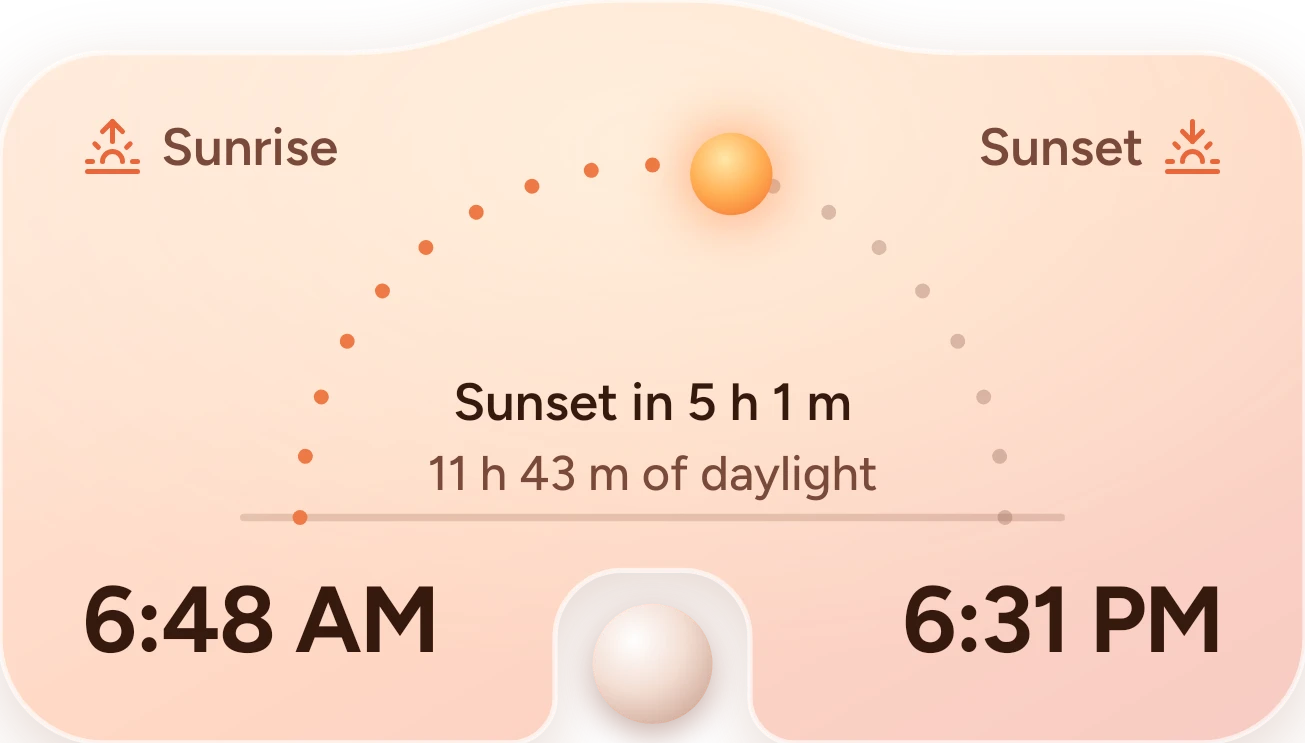
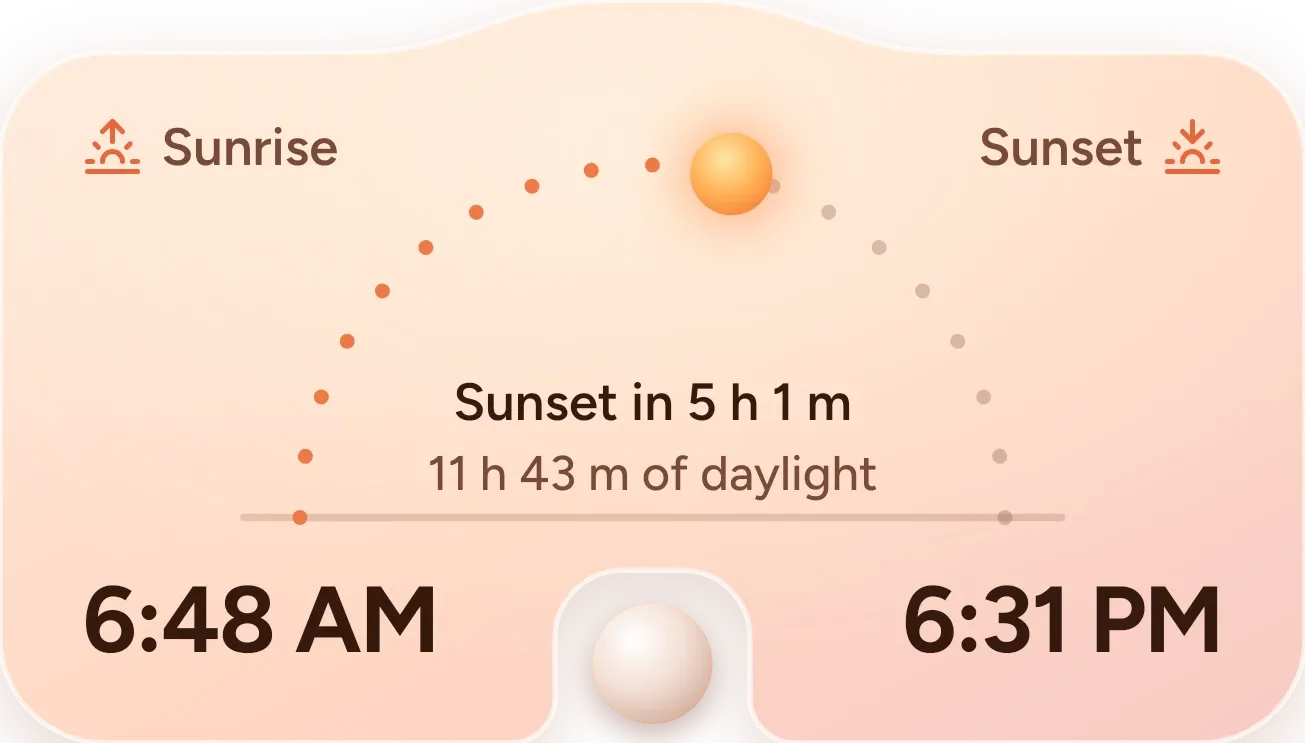
Peach Daylight Arc shows today's sunrise time on the left and sunset time on the right, in large type. Between them, a sun sits on an arch of dots, with the dots it has passed in orange and the rest in muted brown. A line in the middle gives the time until the next sunrise or sunset and the length of daylight. The card has a soft peach gradient and a notch cut into the bottom edge.
- Size
- 4x2 cells
- Kit
- One UI
- Shows
- Sky
- Look
- Pastel and glass
- Colours
- Orange and cream, light background
- Looks like
- Samsung widgets
- Good for
- Photography and morning routine
- Android
- 10 or newer
- Needs
- No additional permissions
- Price
- Free
Kiwi is in beta and is not on Google Play yet. Join to request an invitation.
- peach
- samsung
- sun
- sunrise
- sunset
What changes
- The sun moves along the dotted arc as the day goes on. Dots up to its position turn orange, and the dots still ahead stay muted.
- The line in the middle names the next event and counts down to it, for example Sunset in 9 h 40 m. Below it is the total daylight, for example 12 h 4 m of daylight.
- While the sun is up, it is drawn as a glowing orange ball. When it is down, it appears as a pale, moon-like ball with a softer glow.
- The sunrise and sunset times at the bottom corners show the day's times for your chosen city.
- If the sun's times aren't known, the arc is replaced by the title Sunrise & sunset and a prompt to set a weather city in Kiwi. Tapping the widget opens Kiwi.
Data and settings
- Reads the sky data for your weather city: sunrise time, sunset time, length of daylight, whether the sun is up, and how far through the day it is.
- The weather city you set in Kiwi decides which location's times are shown.
Set it up
- Open Peach Daylight Arc in Kiwi, either from its kit or from this page.
- Tap Use.
- Confirm your launcher's prompt to place it on your home screen.
- If the widget asks you to set a weather city in Kiwi, set one so it can show sunrise and sunset times.
Good to know
- It needs a weather city set in Kiwi. Without one, it shows only a prompt and no times or arc.
- It shows sunrise and sunset for a single city, and only for the current day.
- The countdown and sun position depend on the sky data it reads, so they are only as current as that data.
Widgets like Peach Daylight Arc
 Sky SeamPlayful
 SandglowScenes
 Sundown PaneScenes
 Last LightScenes