Charge Cuff
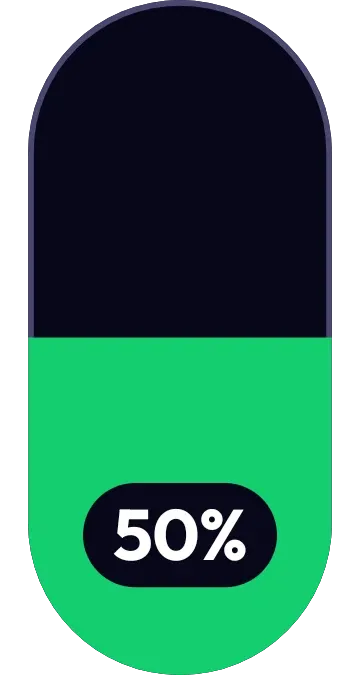
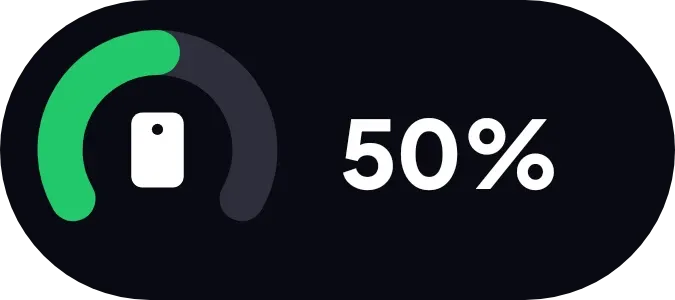
Charge Cuff shows the phone's battery level as a bold white percentage inside a dark, rounded pill. On the left, a green arc curves around a small white phone icon, and the arc fills according to the charge. In the picture it reads 50% with the arc about half full.
- Size
- 2x1 cells
- Kit
- One UI
- Shows
- Battery
- Look
- Minimal, bold shapes and typographic
- Colours
- Black, dark background
- Looks like
- Samsung widgets
- Good for
- Daily battery checks, before heading out and travel
- Android
- 10 or newer
- Needs
- No additional permissions
- Price
- Free
Kiwi is in beta and is not on Google Play yet. Join to request an invitation.
- battery
- battery-level
- battery-meter
- big-numbers
- black
- bold
- dark
- gauge
- green
- grey
- minimal
- one-ui
- percentage
- phone
- pill
- progress
- ring
- rounded
- samsung
- white
What changes
- The percentage and the length of the green arc follow the battery level, so the arc gets shorter as the charge drops.
- While the phone is charging, the white phone icon inside the arc is replaced by a white lightning bolt.
- When the battery is low, the arc turns red instead of green.
- When the battery is low, the phone icon is shown inside the arc even while charging.
- Tapping the widget opens the battery.
Data and settings
- Reads the phone's battery level, which sets the percentage and the arc.
- Reads whether the phone is charging, which switches between the phone icon and the bolt.
- Reads whether the battery is low, which turns the arc red.
Set it up
- Open Charge Cuff in Kiwi, either from its kit or from this page.
- Tap Use.
- Confirm your launcher's prompt to place the widget on your home screen.
Good to know
- It shows only the battery of the phone it is placed on.
- The lightning bolt does not appear while the battery is low, because the phone icon is shown in the red arc instead.
Widgets like Charge Cuff
 Copper SwingMaterial Expressive
 Halfway PillMaterial You
 Polka PowerNothing
 Halflit StripesNothing