Stackscape
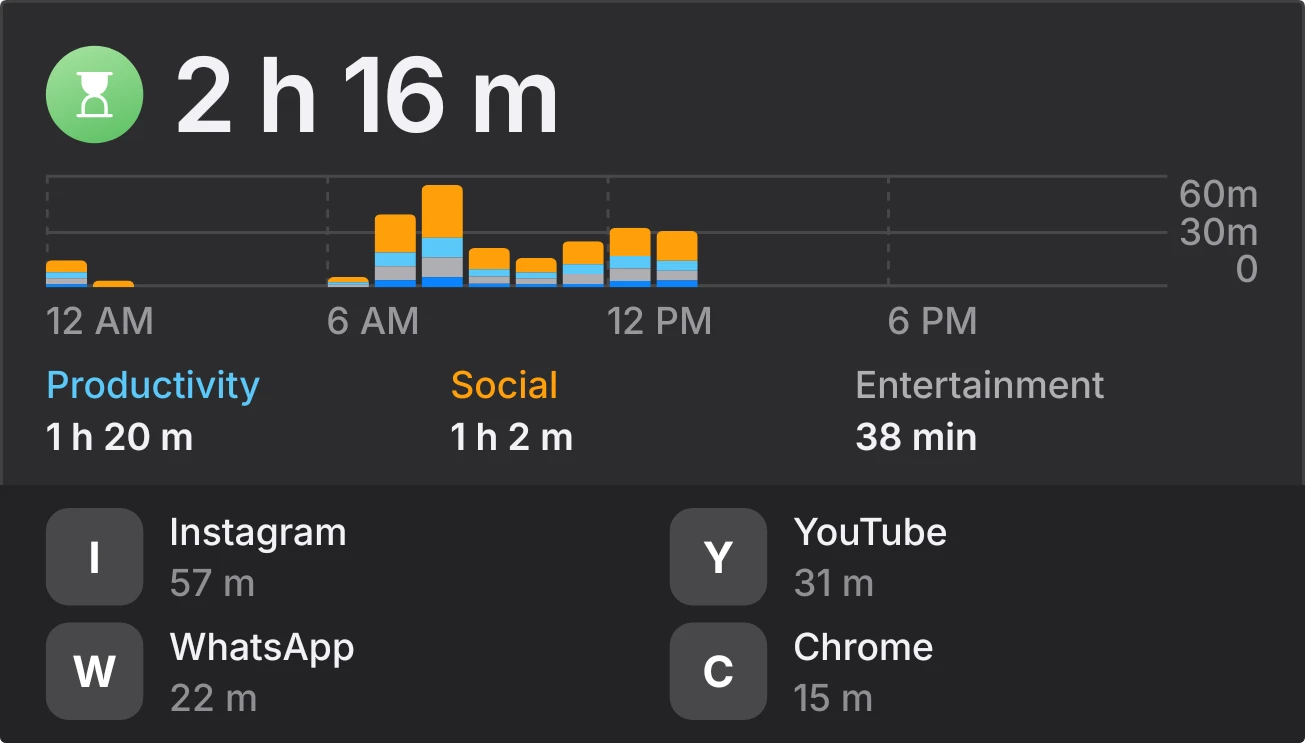
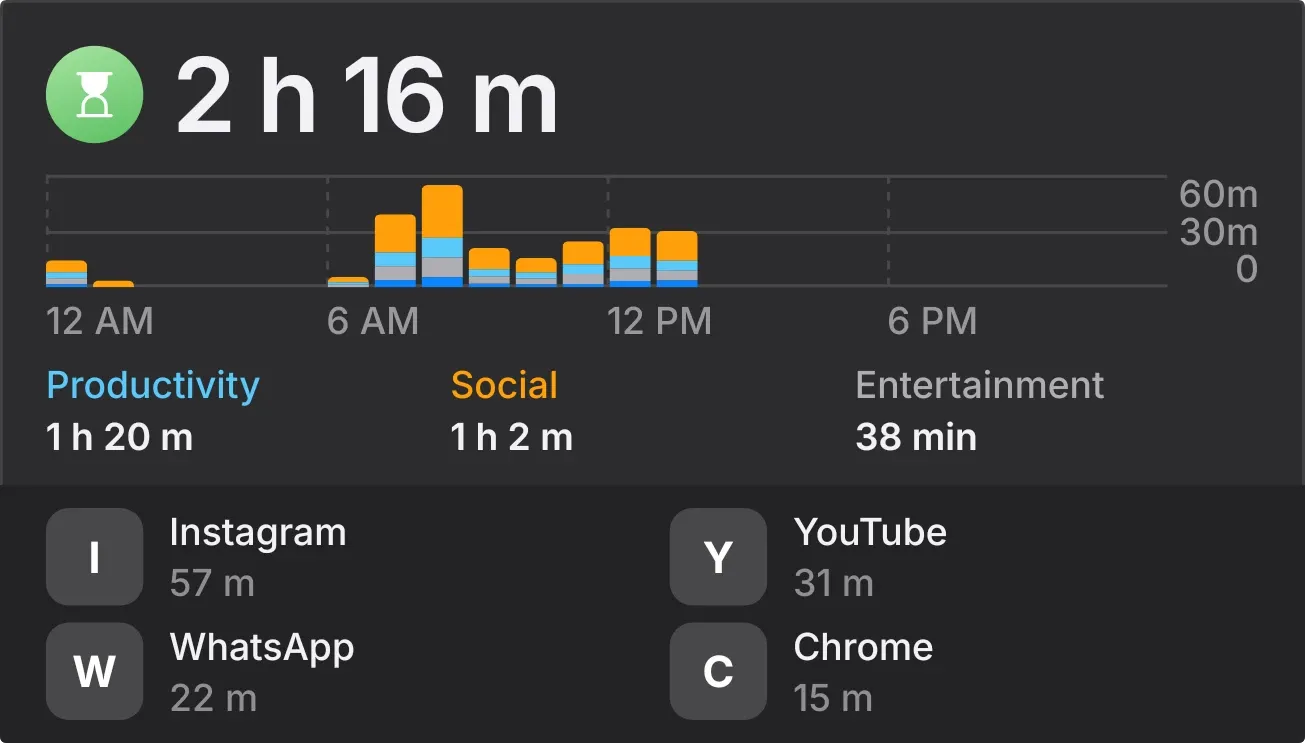
Stackscape shows today's total screen time in large type beside a green hourglass. Below it, an hourly bar chart runs from 12 AM across the day, with each bar stacked in blue, orange, grey and light blue by kind of app. Your top three categories and top four apps sit underneath, each with its time.
- Size
- 4x3 cells
- Kit
- iOS & macOS
- Shows
- Screen time
- Look
- Minimal, bold shapes and colourful
- Colours
- Grey, dark background
- Looks like
- iPhone widgets
- Good for
- Digital detox, tracking phone habits and productivity
- Android
- 10 or newer
- Needs
- No additional permissions
- Price
- Free
Kiwi is in beta and is not on Google Play yet. Join to request an invitation.
- app-icons
- app-usage
- at-a-glance
- bar-chart
- big-numbers
- blue
- bold
- chart
- cool
- dark
- dashboard
- digital
- grey
- hourglass
- hourly
- light-blue
- minimal
- monochrome
- orange
- phone-usage
- productivity
- screen-time
- social
- stacked-bars
- time-of-day
What changes
- The total at the top is today's screen time, written as hours and minutes, such as 3 h 12 m.
- Each bar is one hour of the day. Its height shows the minutes used against a 0, 30 and 60 minute scale, and its colour bands show the mix of app kinds.
- The three legend entries are your top categories for the day, such as Productivity, Social or Entertainment. Each has its total time in the same colour as its bars.
- The app list shows your top four apps with icon and time. An app without an icon shows its first letter, and a long app name is cut short with an ellipsis.
- Tapping an app in the list opens it.
- At midnight, before any screen time is logged, the chart is empty and the bottom reads A fresh day, with a line saying there is no screen time yet since midnight.
Data and settings
- Reads your phone's screen time for the current day: the total, the hourly breakdown, the category totals and the per-app times.
- Nothing to set. The chart, categories and app list update from your usage.
Set it up
- Open Stackscape in Kiwi, either from its kit or from this page.
- Tap Use.
- Confirm your launcher's prompt to place it on your home screen.
Good to know
- Without usage access, the widget shows the title Screen Time and a message that Kiwi needs usage access. The chart, categories and apps stay hidden until access is allowed.
- Only the top three categories and top four apps are listed, so smaller ones show up only as bar colours or not at all.
- It covers the current day only, starting at midnight, and shows no earlier days.
Widgets like Stackscape
 HatchmarkMaterial You
 DaydrainMaterial Expressive
 Hour BloomInstruments
 StreaklinePlayful



