Chip Sweat
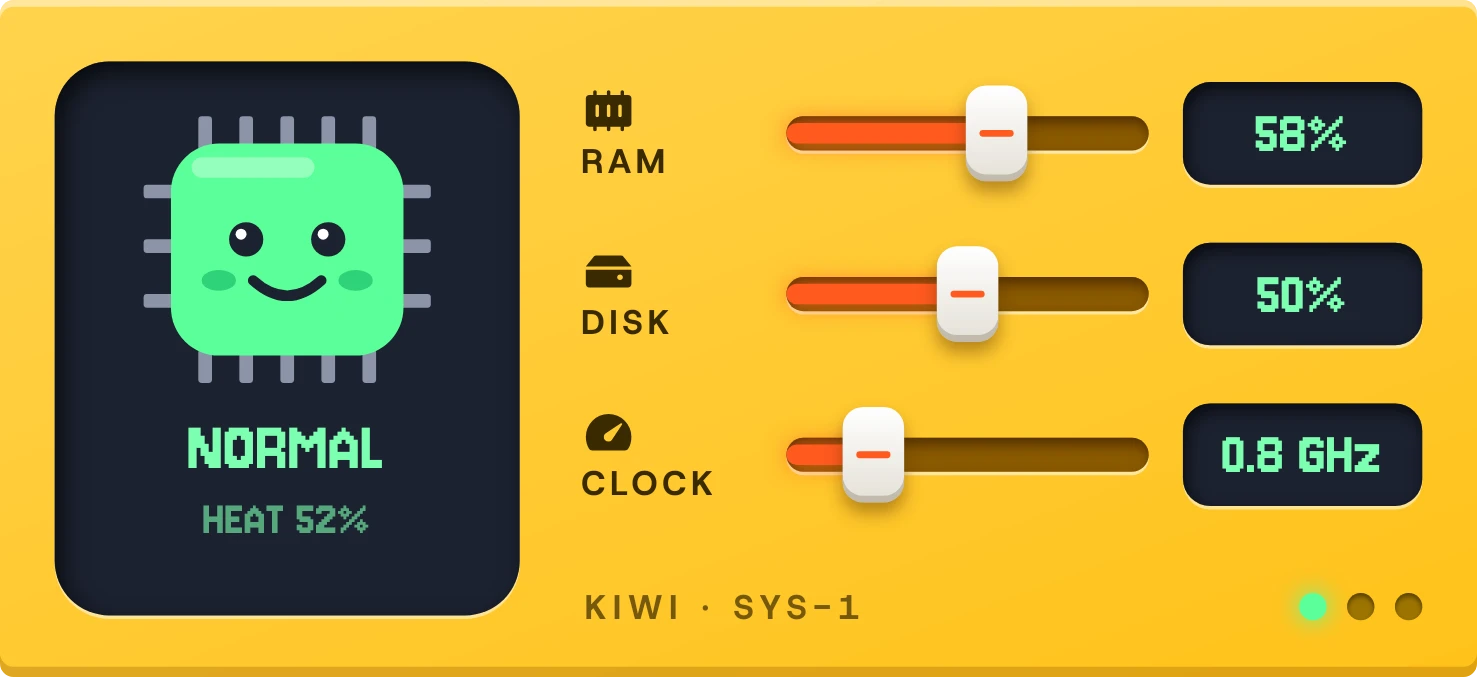
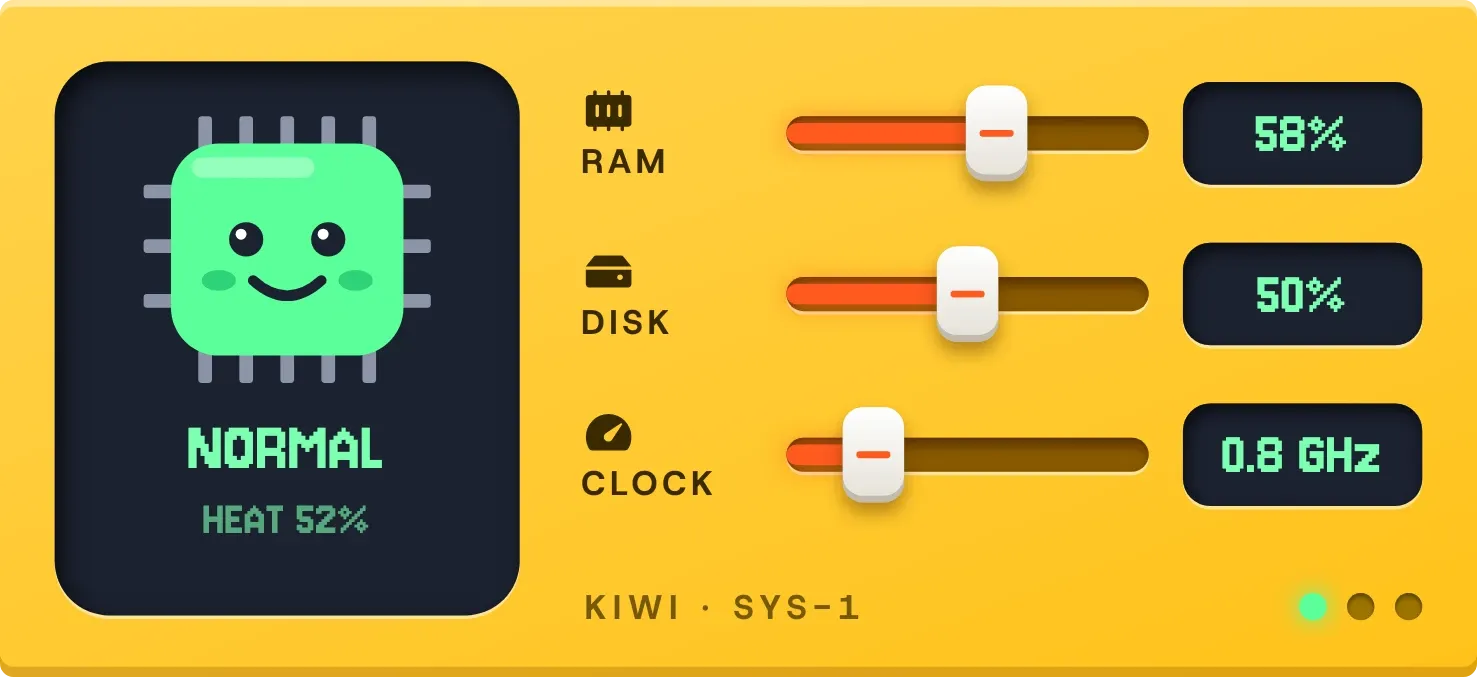
Chip Sweat pairs a small chip creature on a dark screen with three faders on a yellow panel. The chip shows the phone's heat as a status word and a heat percentage. The faders for RAM, disk and clock each have an orange fill, a white cap and a number readout.
- Size
- 5x2 cells
- Kit
- Tactile Hardware
- Shows
- resources
- Look
- Hardware, retro and pixel art
- Colours
- Yellow and blue, light background
- Good for
- Gaming, checking phone heat and performance
- Android
- 10 or newer
- Needs
- No additional permissions
- Price
- Free
Kiwi is in beta and is not on Google Play yet. Join to request an invitation.
- bright
- cartoon
- cpu
- creature
- cute
- dark
- dot-matrix
- gauge
- hardware
- heat
- kawaii
- knob
- mascot
- mint-green
- orange
- pixel
- playful
- progress-bar
- ram
- slider
- storage
- tactile
- temperature
- warm
- yellow
What changes
- The chip's colour and face follow the phone's heat. It is green and smiling when normal, lime with a flat mouth and one sweat drop when slightly warm, and amber with frowning brows and two drops when hot.
- When the phone is throttling, the chip turns red, its eyes become crosses, and steam rises from the top. The status word below it changes with the heat state, and a heat percentage sits underneath.
- Three small lights at the bottom right show the state. Green is lit when normal or slightly warm, amber when hot, and red when throttling. The other two stay dim.
- The RAM and disk faders slide to the share of memory and storage in use. The number beside each shows that percentage.
- The clock fader slides with the processor's current speed, and the number beside it is in GHz.
- If the phone does not report a clock speed, the clock cap rests at the far left, dimmed, and the readout says LOCKED.
Data and settings
- Reads the phone's heat state and heat percentage.
- Reads how much RAM is in use.
- Reads how much storage is used.
- Reads the processor's current clock speed, when the phone reports it.
- There is nothing to set.
Set it up
- Open the widget in Kiwi, either from its kit or from this page.
- Tap Use.
- Confirm your launcher's prompt to place it on your home screen.
- It needs no permission, so there is nothing else to enter.
Good to know
- The clock fader and readout only work if the phone reports its processor speed. Otherwise the readout says LOCKED.
- The chip's face and the status word show only the phone's own heat reading. They are not a temperature in degrees.
- The disk fader shows how full storage is, not how fast it is being read or written.
Widgets like Chip Sweat
 Stacked ChargePlayful
 Sign RiotPlayful
 SunpeelPlayful
 Blush NoonPlayful